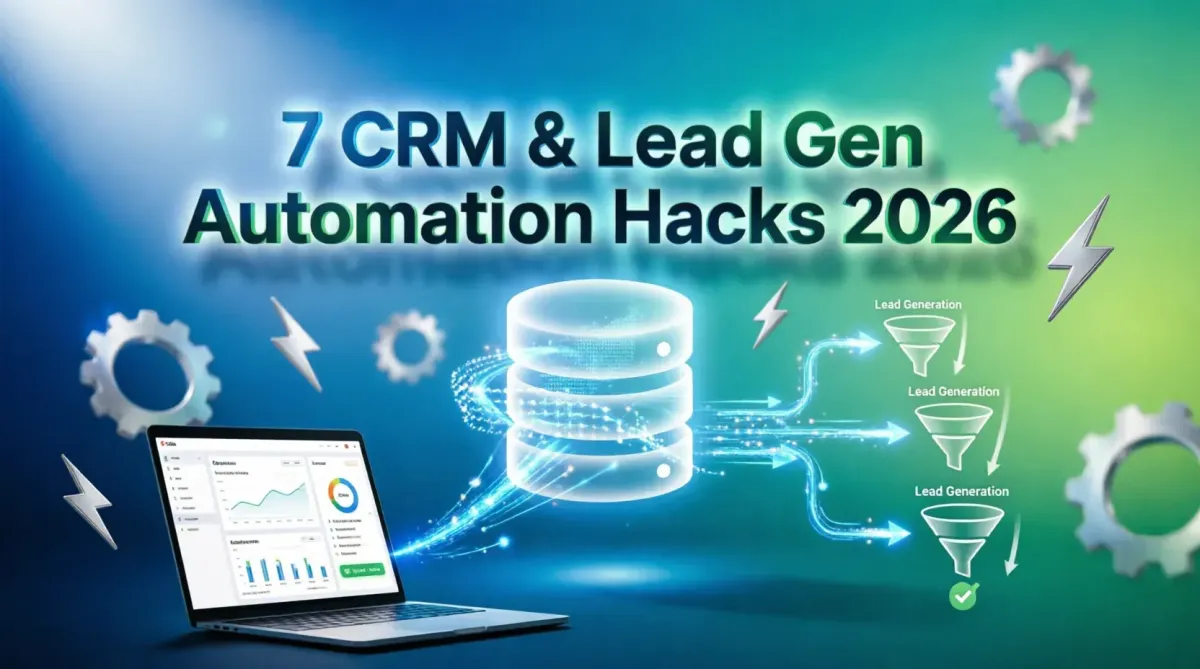
7 Automation Hacks to Sync Your CRM and Lead Generation Tools
In the high-stakes world of modern sales and marketing, the gap between lead generation and CRM entry is where revenue goes to die. Manual data entry, delayed syncing, and fragmented tools lead to lead leakage, duplicated records, and missed follow-up opportunities. In 2026, top-performing revenue teams do not rely on manual exports or clunky native integrations. Instead, they deploy sophisticated automation architectures that seamlessly connect lead generation platforms (like LinkedIn ads, landing page builders, and web scrapers) with their Customer Relationship Management (CRM) systems in real time. This comprehensive guide reveals seven advanced automation hacks to perfectly sync your CRM and lead generation tools. By implementing real-time webhooks, automated data enrichment, AI-driven lead filtering, and dynamic routing, you can eliminate administrative friction, ensure pristine data hygiene, and accelerate your sales cycle. Whether you are a SaaS founder, a sales operations manager, or a growth marketer, these actionable strategies will transform your lead management from a chaotic bottleneck into a predictable, high-velocity revenue engine.
The High Cost of Disconnected Sales and Marketing Stacks
Before diving into the solutions, it is critical to understand the problem. A disconnected tech stack creates a "swivel-chair" effect where marketing teams export CSV files from ad platforms or form builders, manually clean the data, and upload it to the CRM. This process is fraught with peril: human error introduces typos, time delays mean sales reps contact leads hours or days too late, and duplicate records skew analytics and annoy prospects.
Modern automation solves this by acting as the central nervous system of your revenue operations. By orchestrating data flow between your lead sources and your CRM, you ensure that every prospect is captured, enriched, scored, and routed to the right sales representative instantly. For organizations evaluating their core infrastructure, understanding the best AI powered CRM tools for small businesses a comparison provides essential context on selecting a CRM that natively supports or easily integrates with advanced automation workflows.
Hack 1: Replace Polling with Real-Time Webhook Triggers
The most common mistake in CRM automation is relying on "polling" (where an automation tool checks a lead generation platform for new data every 15 or 30 minutes). In 2026, speed to lead is a primary competitive advantage. A lead contacted within 5 minutes is 9 times more likely to convert than one contacted after 30 minutes.
The Automation Hack:
Configure your lead generation tools (e.g., Typeform, Unbounce, Facebook Lead Ads) to send data via Webhooks the millisecond a form is submitted. A webhook is an HTTP callback that pushes data instantly to your automation platform (like Make.com or Zapier), which then immediately processes and pushes it to your CRM.
Implementation Steps:
- Generate a Webhook URL: In your automation platform (e.g., Make.com), create a "Webhook" module and copy the unique URL provided.
- Configure the Source: Paste this URL into the "Webhook" or "Custom Integration" settings of your lead generation tool.
- Map the Payload: In your automation scenario, map the incoming JSON payload fields (name, email, company, source) directly to the corresponding fields in your CRM's "Create Record" module.
- Test and Monitor: Submit a test lead and verify it appears in the CRM in under 3 seconds.
For teams building complex, multi-step routing logic, evaluating Make.com vs Zapier which automation tool wins for complex logic is crucial, as Make.com often handles high-volume webhook parsing and complex data transformations more efficiently than Zapier's linear zaps.
Hack 2: Automated Pre-CRM Lead Enrichment
A raw lead consisting of just a business email address is of limited value to a sales rep. They need context: company size, industry, revenue, and the prospect's job title. Manually researching this takes 5-10 minutes per lead. Automation can do it in milliseconds.
The Automation Hack:
Insert an enrichment step between the webhook trigger and the CRM creation step. Use APIs from data providers like Clearbit, Apollo, or Hunter.io to append firmographic and demographic data to the lead record before it ever touches your CRM.
Implementation Steps:
- Extract the Domain: Use a text parser or formula module in your automation tool to extract the domain name from the prospect's email address (e.g., "john@acme.com" becomes "acme.com").
- Call the Enrichment API: Pass this domain to an enrichment API module (e.g., Clearbit Enrichment).
- Map Enriched Data: Take the returned JSON data (company industry, employee count, LinkedIn URL) and map it to custom fields in your CRM.
- Handle Null Values: Use conditional logic (routers) to ensure that if the enrichment API fails or returns blank data, the workflow still creates the CRM record with the basic information, preventing lead loss.
This hack ensures that when a sales rep opens a new lead in the CRM, they are immediately armed with contextual intelligence, allowing for highly personalized, informed outreach.
Hack 3: AI-Powered Lead Filtering and Junk Prevention
Not all leads are created equal. Your lead generation tools will inevitably capture spam, competitors, or wildly unqualified prospects. Feeding these into your CRM clutters the database, skews conversion metrics, and wastes sales time.
The Automation Hack:
Deploy an AI-driven filtering layer using Large Language Models (LLMs) via API to evaluate lead quality before CRM entry. Instead of rigid, rule-based filters (e.g., "block if email contains 'gmail'"), AI can understand context and intent.
Implementation Steps:
- Capture Lead Context: Gather the prospect's name, email, company, and any free-text input from the lead form (e.g., "How can we help you?").
- Prompt the AI: Send this data to an LLM API (like OpenAI or Claude) with a strict system prompt: "Analyze this lead. Determine if it is a legitimate B2B inquiry, spam, or a competitor. Output ONLY a JSON object with 'is_valid': boolean, 'spam_reason': string, and 'intent_score': 1-10."
- Route Based on AI Output: Use a router in your automation tool. If
is_validis true andintent_score> 7, send to the CRM as a "Marketing Qualified Lead" (MQL). If it is spam, send it to a "Blocked Leads" Google Sheet for audit and terminate the workflow.
For organizations looking to expand their automation footprint beyond lead routing, exploring 10 Zapier workflows every SaaS founder should automate in 2026 reveals complementary automations that can further streamline onboarding, billing, and customer success handoffs.
Hack 4: Dynamic Lead Scoring and Intelligent Routing
Once a clean, enriched lead enters the CRM, it must be assigned to the right person immediately. Static round-robin assignment is outdated. Modern systems use dynamic lead scoring to prioritize and route leads based on real-time data.
The Automation Hack:
Calculate a lead score dynamically within the automation workflow based on firmographic data and behavioral triggers, then route the lead to the most appropriate sales representative or queue.
Implementation Steps:
- Define Scoring Criteria: Assign point values in your automation tool. (e.g., Company size > 100 employees = +20 points; Job title contains "Director" or "VP" = +15 points; Source = "Organic Search" = +10 points).
- Calculate the Score: Use a math or code module in your automation platform to sum these values into a single "Lead Score" variable.
- Conditional Routing: Use a switch/router module:
- If Score >= 50: Create CRM record and immediately send a Slack/Teams notification to the "Enterprise Sales" channel, assigning the lead to a senior rep.
- If Score 20-49: Create CRM record and enroll the lead in an automated email nurture sequence.
- If Score < 20: Create CRM record but mark status as "Cold" for future batch marketing.
This ensures that your highest-value opportunities are prioritized and acted upon instantly, while lower-intent leads are nurtured efficiently without consuming valuable sales bandwidth.
Hack 5: Bi-Directional Sync for Impeccable Data Hygiene
Most basic integrations are one-way: Lead Gen Tool → CRM. However, sales reps update records in the CRM (e.g., changing a status to "Closed-Won" or updating a phone number). If this data doesn't flow back to the lead generation or marketing automation tools, your reporting is broken, and marketing cannot accurately attribute revenue.
The Automation Hack:
Establish a bi-directional sync loop. While native CRM integrations can sometimes handle this, using a dedicated middleware tool ensures that updates in either system are reflected in the other, preventing data silos.
Implementation Steps:
- Trigger on CRM Update: Set up an automation trigger that fires whenever a specific object (e.g., Contact or Lead) is updated in the CRM.
- Filter for Relevant Changes: Use a filter to ensure the automation only runs if specific fields are changed (e.g., "Email", "Lifecycle Stage", or "Lead Status"). This prevents infinite update loops.
- Search and Update: Have the automation tool search the destination system (e.g., your email marketing platform or lead database) for the matching email address.
- Execute Update: If a match is found, update the record with the new CRM data. If not found, log an error for manual review.
Maintaining this level of data hygiene is not just an operational nicety; it is a regulatory necessity. For teams handling sensitive customer data, reviewing the importance of GDPR and modern data privacy laws ensures that your bi-directional sync workflows respect user consent, data minimization principles, and right-to-be-forgotten requests.
Hack 6: Automated, Context-Aware Follow-Up Sequences
A lead sitting in a CRM is a decaying asset. The moment a lead is created or its status changes, a time-sensitive follow-up sequence should be triggered automatically, personalized with the data gathered during the enrichment phase.
The Automation Hack:
Connect your CRM to your email outreach or marketing automation platform (e.g., HubSpot, Mailchimp, or Lemlist) to trigger hyper-personalized sequences based on CRM field values.
Implementation Steps:
- Trigger: CRM "New Lead Created" or "Lead Status Changed to 'Contacted'".
- Enrich Context: Pull the enriched data (e.g., "Industry: SaaS", "Pain Point: Scaling Infrastructure") from the CRM record.
- Generate Personalized Content (Optional AI Step): Pass this context to an LLM to generate a highly specific first-line for an email. (e.g., "I noticed Acme Corp is expanding its SaaS infrastructure, and scaling often brings data challenges...")
- Enroll in Sequence: Use the CRM or email platform's API to add the contact to a specific, targeted drip campaign.
- Sync Engagement Back: Ensure that email opens, clicks, and replies are written back to the CRM activity timeline so the sales rep has full visibility.
This closed-loop system ensures that marketing and sales are perfectly aligned, with automation handling the heavy lifting of initial outreach while preserving a highly personalized touch.
Hack 7: Centralized Alerting and Anomaly Detection
Automation is only effective if you know when it breaks. A failed webhook, an expired API key, or a sudden drop in lead volume can go unnoticed for days if you are solely relying on silent background processes.
The Automation Hack:
Build a "control tower" using communication tools like Slack or Microsoft Teams, coupled with automated health checks, to monitor the sync pipeline in real time.
Implementation Steps:
- Error Routing: In every automation scenario, add an "Error Handler" or "Rollback" route. If any step fails (e.g., CRM API returns a 400 Bad Request), route the payload and error message to a dedicated "Automation Alerts" Slack channel.
- High-Intent Alerts: Create a separate, high-priority alert for "Whale" leads. If the dynamic lead score (from Hack 4) exceeds a certain threshold, post an urgent, formatted message in the sales channel with a direct link to the new CRM record.
- Scheduled Health Checks: Create a daily scheduled automation that queries your CRM for the number of leads created in the last 24 hours. If the number is zero (and it's a weekday), trigger an alert to the RevOps team to investigate potential integration failures.
For distributed revenue teams, ensuring these alerts reach the right people regardless of location is vital. Leveraging top 5 SaaS platforms for managing global remote teams can help integrate these operational alerts into the broader communication and project management workflows of distributed sales and marketing teams.
Tool Stack Recommendations for CRM Automation
Executing these seven hacks requires a robust, reliable technology stack. Below is a comparison of the core components needed to build this architecture.
| Tool Category | Top Recommendations (2026) | Primary Role in the Stack | Key Strength |
|---|---|---|---|
| Integration Middleware | Make.com, Zapier, Workato | Orchestrates data flow, webhooks, and logic between apps. | Make.com excels at complex, multi-branch visual workflows. |
| CRM Platform | HubSpot, Salesforce, Pipedrive | Central source of truth for all lead and customer data. | Robust APIs and extensive native app marketplaces. |
| Data Enrichment | Clearbit, Apollo, Clay | Appends firmographic and demographic data to raw leads. | Clay offers highly flexible, AI-driven data aggregation. |
| AI / LLM Processing | OpenAI API, Claude, Claygent | Filters spam, scores intent, and generates personalized copy. | Transforms unstructured text into structured, actionable data. |
| Communication / Alerting | Slack, Microsoft Teams | Real-time notifications for high-value leads and system errors. | Deep integration with automation tools via incoming webhooks. |
Step-by-Step Implementation Roadmap
Attempting to implement all seven hacks simultaneously can lead to workflow tangling and debugging nightmares. Follow this phased rollout strategy to ensure stability and measurable ROI.
Phase 1: Foundation and Speed (Weeks 1-2)
- Audit your current lead sources and identify where manual CSV exports are happening.
- Replace polling with real-time webhooks (Hack 1) for your top 2 lead sources.
- Implement basic error routing to Slack (Hack 7) to monitor these new webhooks.
Phase 2: Data Quality and Intelligence (Weeks 3-4)
- Integrate an enrichment API (Hack 2) to append company data to incoming webhooks.
- Implement the AI-powered spam filter (Hack 3) to prevent junk data from polluting the CRM.
- Verify that custom fields in the CRM are correctly receiving the enriched data.
Phase 3: Optimization and Closed-Loop (Weeks 5-6)
- Build the dynamic lead scoring and routing logic (Hack 4).
- Connect the CRM to your email outreach tool to trigger automated follow-ups (Hack 6).
- Establish the bi-directional sync (Hack 5) to ensure marketing platforms receive CRM status updates.
Phase 4: Monitoring and Refinement (Ongoing)
- Review the "Automation Alerts" channel weekly to address any recurring API errors.
- Analyze the conversion rates of AI-scored leads versus manually entered leads to refine the scoring algorithm.
- Document all workflows thoroughly for team onboarding and troubleshooting.
For organizations tracking the financial impact of these operational improvements, connecting your automation metrics to how to automate your accounting using modern SaaS tools enables precise calculation of the ROI generated by reduced manual labor, increased lead conversion, and improved sales rep efficiency.
Common Pitfalls and How to Avoid Them
Even with the best hacks, CRM automation can fail if foundational best practices are ignored. Watch out for these common traps:
1. Ignoring Duplicate Management:
The Problem: Webhooks will blindly create new records every time, leading to massive duplicate contamination if a prospect submits a form twice.
The Solution: Always include a "Search" module in your automation workflow before the "Create" module. Search the CRM by email address. If a record exists, use an "Update" module instead. If it does not exist, proceed with "Create".
2. Overcomplicating the Initial Workflow:
The Problem: Building a 50-step automation with nested routers and AI calls on day one is a recipe for failure and untraceable bugs.
The Solution: Start simple. Get the data from Point A to Point B reliably. Once the base connection is stable, iteratively add enrichment, scoring, and AI layers one at a time, testing thoroughly after each addition.
3. Hardcoding Sensitive Credentials:
The Problem: Placing API keys or passwords directly into automation tool variables or code modules poses a severe security risk.
The Solution: Always use the built-in "Connections" or "Credentials" management features of your automation platform. For advanced setups, route API calls through a secure vault or environment variable manager.
4. Forgetting to Account for Rate Limits:
The Problem: A sudden spike in lead generation (e.g., a successful viral campaign) can trigger thousands of webhooks, hitting the API rate limits of your CRM or enrichment provider, causing mass failures.
The Solution: Implement "throttling" or "queueing" in your automation tool. Tools like Make.com allow you to set a maximum number of operations per second, buffering excess requests and processing them sequentially to respect API limits.
The Future of CRM and Lead Gen Automation
As we look beyond 2026, the line between "automation" and "autonomous agents" will continue to blur. We are moving toward a future where AI agents do not just route leads, but actively negotiate initial discovery calls, update CRM records based on voice transcripts, and autonomously adjust lead scoring models based on real-time win/loss data.
However, the foundational principles outlined in this guide—real-time data flow, rigorous data hygiene, intelligent filtering, and closed-loop feedback—will remain the bedrock of any successful revenue architecture. Organizations that master these automation hacks today will be perfectly positioned to adopt and leverage these next-generation autonomous systems tomorrow.
For technology leaders planning their long-term operational strategy, understanding the future of SaaS top trends to watch this year provides valuable foresight into how emerging AI capabilities and interoperability standards will further revolutionize revenue operations and CRM ecosystems.
Conclusion: Transform Lead Chaos into Predictable Revenue
Syncing your CRM and lead generation tools is no longer a "nice-to-have" IT project; it is a fundamental revenue imperative. By implementing these seven automation hacks—leveraging real-time webhooks, automated enrichment, AI filtering, dynamic routing, bi-directional sync, context-aware follow-ups, and proactive monitoring—you can eliminate the friction that plagues traditional sales and marketing handoffs.
The result is a pristine, intelligent CRM that empowers your sales team to act faster, personalize their outreach, and close more deals, all while freeing your marketing team from the drudgery of manual data management. Start by auditing your current stack, pick one or two hacks to implement this week, and watch as your lead conversion rates and operational efficiency begin to compound. The future of revenue generation is automated, intelligent, and seamless. Build your stack accordingly.