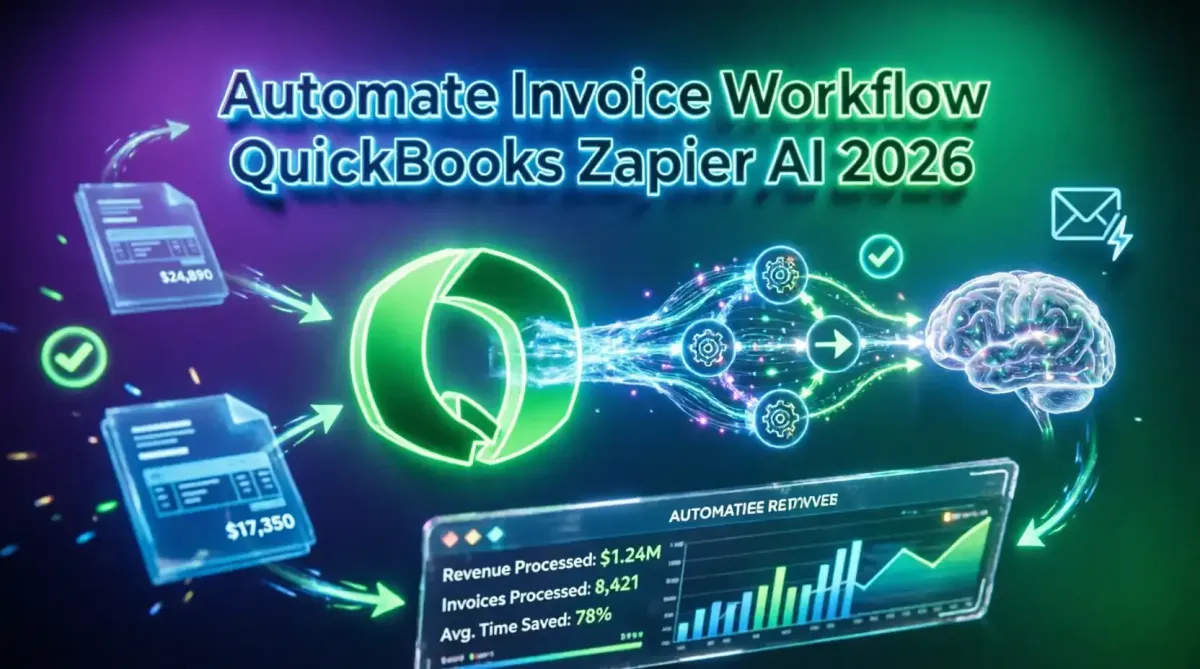
How to Automate Your Entire Invoice Workflow Using QuickBooks and Zapier AI
In the fast-paced business environment of 2026, manual accounts receivable processes are a critical bottleneck. Chasing payments, manually drafting invoice emails, reconciling bank feeds, and updating CRM statuses consume hundreds of hours annually for agencies, freelancers, and B2B service providers. The solution lies in the convergence of robust accounting software, intelligent workflow automation, and generative AI. By integrating QuickBooks Online, Zapier, and the newly advanced Zapier AI Agents, businesses can construct a fully autonomous invoice workflow that triggers upon project completion, generates context-aware invoices, drafts personalized client communications, and executes intelligent dunning sequences. This comprehensive technical guide details how to architect, configure, and secure an end-to-end automated invoicing system. By mastering these integrations, you can reduce administrative overhead by 80%, accelerate cash flow, and ensure pristine financial data hygiene, allowing your team to focus on growth rather than data entry.
The Evolution of Accounts Receivable Automation
Historically, automating invoicing meant setting up basic recurring billing in QuickBooks or using simple Zapier Zaps to send a static PDF via email. While effective for basic subscriptions, this approach fails in complex B2B environments where invoices are tied to milestone completions, variable hourly rates, or custom project scopes. Furthermore, static automated emails often feel impersonal, potentially damaging client relationships.
In 2026, the paradigm has shifted from rigid automation to intelligent automation. Zapier’s integration of Large Language Models (LLMs) via "AI by Zapier" and autonomous AI Agents allows workflows to read, interpret, and generate human-like text. When combined with QuickBooks Online’s robust API, this creates a system that not only moves data but understands context. For organizations looking to modernize their financial operations, understanding how to automate your accounting using modern SaaS tools provides the foundational strategy for transitioning from manual ledgers to autonomous financial ecosystems.
The Tech Stack: QuickBooks, Zapier, and Zapier AI
Building this autonomous workflow requires a deep understanding of the three core components and how they interact.
1. QuickBooks Online (The Ledger):
QuickBooks Online (QBO) serves as the single source of truth for financial data. Its API allows for the programmatic creation of customers, estimates, invoices, and payment receipts. By keeping QBO as the central ledger, you ensure compliance, tax readiness, and accurate financial reporting.
2. Zapier (The Nervous System):
Zapier acts as the middleware, listening for events across your tech stack (e.g., a contract signed in DocuSign, a Trello card moved to "Done", or a form submitted in Typeform) and translating those events into QuickBooks actions. Zapier handles the routing, data mapping, and conditional logic.
3. Zapier AI & AI Agents (The Brain):
This is the 2026 game-changer. Zapier AI allows you to insert LLM-powered steps directly into your Zaps. You can use AI to summarize project notes, extract billing details from unstructured emails, or generate highly personalized invoice messages. Furthermore, Zapier AI Agents can be deployed as autonomous assistants that manage complex, multi-step accounts receivable tasks, such as negotiating payment plans or analyzing client communication sentiment.
Step 1: The Trigger – Project Completion & Data Aggregation
The automation must begin with a reliable trigger that signifies a billable event has occurred. Relying on manual triggers defeats the purpose of automation.
Common Triggers:
- Project Management: Asana, Monday.com, or ClickUp task marked "Complete".
- CRM: HubSpot or Salesforce deal stage moved to "Closed-Won" or "Onboarding".
- Contracts: DocuSign or PandaDoc envelope completed.
The Zapier Aggregation Step:
When the trigger fires, Zapier must gather all relevant billing data. This often requires a "Search" or "Find" step to pull the client’s QuickBooks Customer ID, ensuring the invoice is attached to the correct entity. For agencies billing across multiple subsidiaries, Zapier’s Paths feature can route the workflow to the correct billing entity based on the client’s domain or contract terms.
For teams managing complex client portfolios, integrating this trigger logic with the best AI powered CRM tools for small businesses a comparison ensures that your billing automation is perfectly synced with your client relationship data.
Step 2: AI-Powered Invoice Line Item Generation
One of the most tedious aspects of B2B invoicing is translating vague project deliverables into clear, professional line items that clients will approve without question. This is where Zapier AI shines.
Configuring the AI Step:
Instead of hardcoding line items, you pass the raw project notes, timesheets, or deliverable checklists into an "AI by Zapier" action. You provide a system prompt that instructs the LLM on how to format the output.
Example AI Prompt Configuration:
System: You are a professional billing coordinator for a premium digital agency.
Task: Convert the following raw project notes into clear, professional QuickBooks invoice line items.
Rules:
1. Group related tasks under clear headings.
2. Use action-oriented language.
3. If hourly work is provided, calculate the total based on a rate of $150/hr.
4. Output the result as a JSON array of objects with 'Description', 'Quantity', and 'Amount' keys.

Input Data:
- Redesigned the homepage hero section, took about 4 hours.
- Fixed the bug in the checkout flow, 2 hours.
- Monthly hosting and maintenance retainer.
The AI returns a perfectly structured JSON array, which Zapier then uses to dynamically populate the line items in the QuickBooks "Create Invoice" action. This ensures every invoice is detailed, accurate, and requires zero manual typing. Mastering the art of prompt engineering how to talk to AI in 2026 is essential for refining these billing prompts to match your specific industry terminology and brand voice.
Step 3: Creating the Invoice in QuickBooks Online
With the line items generated and the customer ID mapped, Zapier executes the "Create Invoice" action in QuickBooks Online.
Key Configuration Parameters:
- Custom Fields: Map the original PO number, contract ID, or project URL to QuickBooks Custom Fields. This is crucial for enterprise clients who require PO matching for payment processing.
- Terms & Due Date: Use Zapier’s built-in date math to automatically set the due date based on the client’s specific payment terms (e.g., Net 30, Net 15) stored in the CRM.
- Attachments: If your workflow involves generating a separate PDF proposal or timesheet, Zapier can upload these files directly to the QuickBooks invoice attachment section.
Step 4: AI-Generated Invoice Delivery & Client Communication
Sending an invoice is not just a transactional event; it is a touchpoint in the client relationship. A generic "Please find attached your invoice" email is easily ignored. Zapier AI allows you to generate hyper-personalized cover emails that reference recent interactions, project milestones, or even client-specific inside jokes.
The AI Email Generation Workflow:
- Context Gathering: Zapier pulls the client’s last email, recent CRM notes, or the project manager’s handover summary.
- AI Drafting: An AI step drafts the email body. Prompt: "Write a friendly, professional email to [Client Name] attaching their new invoice for [Project Name]. Reference our recent call about [Topic from CRM notes]. Keep it concise, express excitement about the results, and clearly state the payment due date."
- Human-in-the-Loop (Optional): For high-value enterprise clients, Zapier can send the AI-drafted email to the Account Manager via Slack or Gmail for a one-click "Approve & Send" before it goes to the client.
- Dispatch: Once approved (or automatically, for SMB clients), Zapier sends the email via Gmail, Outlook, or your email marketing platform, attaching the QuickBooks invoice link or PDF.
Step 5: Intelligent Dunning and Payment Reminders
The true test of an automated AR system is how it handles late payments. Traditional dunning sequences are rigid: Day 3 (polite), Day 7 (firm), Day 15 (demand). AI-driven dunning adapts to the context and the client's communication style.
Building the AI Dunning Zap:
- Trigger: QuickBooks "Invoice Overdue" or a daily schedule check for unpaid invoices.
- AI Sentiment & Context Analysis: Zapier searches your email inbox or CRM for recent communications with the client. The AI analyzes the sentiment and content. Did the client mention they are traveling? Did they express dissatisfaction with a recent deliverable? AI Prompt: "Analyze the last 3 emails from [Client Contact]. Are there any unresolved issues or delays on our end that might be causing a payment delay? Summarize the context in one sentence."
- Dynamic Response Generation: Based on the AI analysis, Zapier routes the workflow:
- Scenario A (Client is happy, just forgot): Generate a light, friendly reminder with a direct payment link.
- Scenario B (Client had a complaint): Generate an empathetic email acknowledging the open support ticket, offering a resolution, and gently attaching the invoice for review.
- Scenario C (No recent contact): Generate a standard, professional Net-15 overdue notice.
This level of sophistication prevents the embarrassment of aggressively demanding payment from a client who is currently experiencing a service outage caused by your team. For a broader look at automating repetitive communication tasks, reviewing top 5 AI tools to automate your daily repetitive tasks highlights other areas where AI can relieve administrative burdens.
Step 6: Automated Reconciliation and Financial Reporting
When the payment finally hits the bank, the workflow must close the loop. QuickBooks Bank Feeds can automatically match payments to open invoices, but Zapier can trigger downstream actions the moment an invoice is marked "Paid".
Post-Payment Automation:
- CRM Update: Update the HubSpot/Salesforce deal stage to "Delivered" or trigger a renewal workflow.
- Project Management: Archive the project in Asana or move it to the "Maintenance" phase.
- Client Portal: Update the client’s status in your custom portal or WordPress site, granting them access to new deliverables.
- Commission Calculation: If your sales team earns commissions, Zapier can calculate the payout based on the collected amount and send a notification to the payroll system.
To ensure your financial data remains clean and accessible for reporting, integrating these automated flows with how to use AI for seamless spreadsheet and data management allows you to automatically push weekly revenue summaries into AI-enhanced dashboards for executive review.
Advanced Zapier AI Features for Finance
Beyond basic text generation, Zapier’s 2026 AI toolkit offers advanced capabilities for complex financial workflows.
1. Zapier AI Agents (Autonomous AR):
Zapier AI Agents can be given a goal, such as "Ensure all invoices over 30 days are resolved." The Agent will autonomously search QuickBooks, check email threads, draft responses, and even schedule follow-up tasks in your CRM, only escalating to a human if it encounters an anomaly it cannot resolve.
2. Natural Language Actions:
Instead of mapping complex JSON payloads, you can use Natural Language Actions to instruct Zapier. For example: "Find the QuickBooks invoice for Acme Corp dated last month and add a note saying 'Awaiting wire transfer confirmation'." Zapier’s AI translates this intent into the correct API calls.
3. Document Data Extraction:
If clients send purchase orders or remittance advice as PDFs via email, Zapier’s AI Document Parser can extract the PO number, total amount, and line items, automatically matching them to the corresponding QuickBooks invoice and updating the ledger without human intervention.
Security, Compliance, and Data Privacy
Automating financial workflows means routing sensitive client data, banking details, and PII through third-party automation platforms. Security cannot be an afterthought.
Best Practices for Secure Automation:
- Data Minimization in AI Steps: When sending data to an LLM for email generation, use Zapier’s Formatter tool to strip out sensitive information like credit card numbers, tax IDs, or internal profit margins. Only pass the necessary context (names, project details, amounts) to the AI.
- SOC 2 Compliance: Ensure that both Zapier and your CRM/PM tools maintain SOC 2 Type II compliance. Zapier encrypts data in transit and at rest, but you must manage your own access controls.
- Role-Based Access Control (RBAC): Limit who can edit Zaps that interact with QuickBooks. Use Zapier’s Team plan features to restrict access to financial workflows to authorized finance personnel only.
- Audit Logging: Enable detailed history logs in Zapier. If an incorrect invoice is sent or a payment is misapplied, you need a complete trail of the data transformation and AI decisions that led to the error.
Implementing these safeguards aligns with the principles of building privacy-first AI techniques for secure data processing, ensuring that your automation does not become a vector for data leakage or compliance violations.
Common Pitfalls and Troubleshooting
Even the most elegantly designed automations can fail if edge cases are not accounted for. Here are common pitfalls in QuickBooks/Zapier integrations and how to resolve them.
| Pitfall | Root Cause | Resolution Strategy |
|---|---|---|
| Duplicate Invoices | Trigger fires multiple times (e.g., task updated twice). | Use Zapier’s "Filter by" feature to only trigger if a specific custom field is empty, or use the "Dedupe" feature to track processed IDs. |
| AI Hallucinations in Line Items | LLM invents deliverables not in the source data. | Add a strict constraint to the AI prompt: "Only use data explicitly provided in the input. Do not infer or invent tasks. If data is missing, output 'REQUIRES MANUAL REVIEW'." |
| QuickBooks API Rate Limits | Sending too many API calls during batch processing. | Implement Zapier’s "Delay By Zapier" step to throttle actions (e.g., wait 5 seconds between invoice creations) or use QuickBooks batch endpoints if available. |
| Customer Name Mismatches | CRM name doesn't exactly match QBO Customer name. | Always use a unique identifier (like a Customer ID or Domain Name) to search QuickBooks, rather than relying on string matching for names. |
Measuring ROI and Time Saved
To justify the investment in Zapier’s enterprise tiers and AI credits, you must track the operational impact of your automated invoice workflow.
Key Metrics to Track:
- Days Sales Outstanding (DSO): The average number of days it takes to collect payment. AI-personalized emails and timely reminders should visibly reduce this metric.
- Time-to-Invoice: The delta between project completion and the invoice hitting the client’s inbox. Automation should reduce this from days to minutes.
- Administrative Hours Saved: Calculate the hours spent on manual data entry, PDF generation, and dunning emails. Multiply by the hourly rate of your billing staff to determine hard cost savings.
- Error Rate: Track the number of invoices that require manual correction or credit memos due to data entry errors. Automation should drive this near zero.
For agencies and remote teams, these efficiency gains are transformative. By eliminating the friction of billing, you can scale your client base without proportionally scaling your back-office headcount. This is particularly relevant for distributed teams leveraging top 5 SaaS platforms for managing global remote teams, where asynchronous automation bridges time zone gaps and ensures cash flow remains consistent regardless of where the team is located.
The Future of AI in Accounts Receivable
As we look toward the end of the decade, the integration of AI and financial systems will become even more seamless. We are moving toward fully autonomous "Self-Healing" financial workflows.
Emerging Capabilities:
- Predictive Cash Flow Analysis: AI agents will analyze historical client payment behaviors, current economic indicators, and open invoice statuses to predict cash flow shortfalls weeks in advance, automatically adjusting dunning aggression based on the company's liquidity needs.
- Autonomous Dispute Resolution: If a client replies to an invoice with a dispute (e.g., "We were overcharged for hours on the 14th"), AI Agents will cross-reference the timesheets, project logs, and contract terms, and either automatically issue a credit memo or generate a detailed, evidence-backed rebuttal email for human approval.
- Multi-Currency & Tax Automation: AI will dynamically adjust invoices based on real-time currency fluctuations and automatically apply the correct regional tax codes based on the client's IP address or billing entity, ensuring global compliance without manual research.
For technology leaders planning their operational roadmaps, understanding the future of SaaS top trends to watch this year provides valuable foresight into how autonomous agents will reshape not just invoicing, but the entire B2B financial technology stack.
Security Alert: Protecting Automated Financial Channels
As automation becomes the norm, cybercriminals are adapting. Automated email workflows can be exploited if not properly secured. A common attack vector is "Invoice Fraud" or "Business Email Compromise" (BEC), where attackers intercept automated workflows or spoof vendor details to redirect payments.
Mitigation Strategies:
- Strict Domain Authentication: Ensure your sending domains have perfect SPF, DKIM, and DMARC records configured to prevent spoofing.
- Verification Protocols: For invoices over a certain threshold, configure Zapier to require a secondary approval via a secure channel (e.g., a Slack approval button or a hardware key verification) before the invoice is dispatched.
- AI Phishing Detection: Use AI tools to scan incoming client emails that request changes to billing details. If an email asks to "update the routing number for future invoices," AI can flag this as a high-risk anomaly, blocking the Zapier workflow and alerting the security team.
Staying vigilant against these threats is critical. For a deeper understanding of how to protect your financial communications, reviewing how to spot and avoid AI generated phishing scams provides essential techniques for safeguarding your automated invoicing channels from sophisticated social engineering attacks.
Conclusion: Building the Autonomous Revenue Engine
The integration of QuickBooks, Zapier, and Zapier AI represents a quantum leap in how businesses manage their accounts receivable. By moving beyond simple data syncing and embracing context-aware, AI-driven workflows, you transform invoicing from a manual, error-prone chore into a strategic, autonomous revenue engine.
This system does more than just save time; it enhances the client experience through personalized communication, accelerates cash flow through intelligent dunning, and ensures absolute data accuracy across your financial ledger. In 2026, the competitive advantage belongs to organizations that can scale their operations without scaling their administrative overhead. By implementing the blueprint outlined in this guide, you secure that advantage, freeing your team to focus on delivering exceptional value while the AI ensures you get paid for it.
Start small. Automate the trigger and the QuickBooks invoice creation first. Once that foundation is solid, layer in the AI email generation and intelligent dunning. Test rigorously, monitor your security logs, and continuously refine your AI prompts. The future of finance is autonomous, and with Zapier AI and QuickBooks, you are already there.