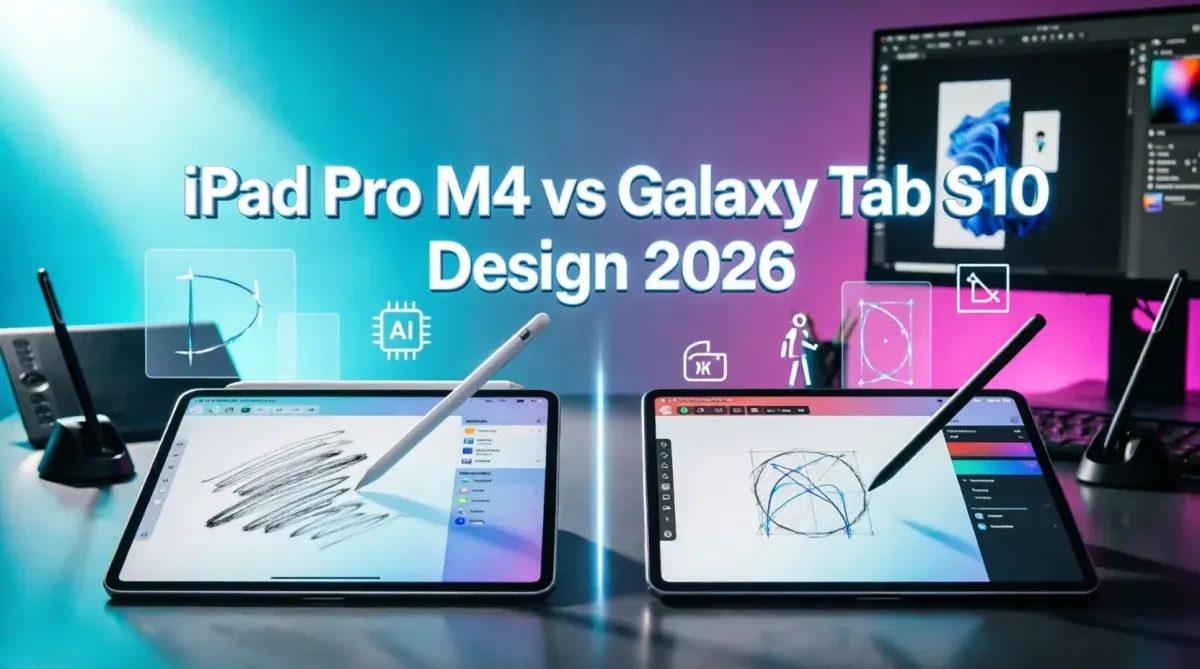
Buying a Tablet for Design: iPad Pro M4 vs. Samsung Galaxy Tab S10
The tablet market for creative professionals in 2026 has reached a zenith of innovation, with Apple's iPad Pro M4 and Samsung's Galaxy Tab S10 standing as the undisputed titans of mobile design. For digital illustrators, UI/UX designers, photo editors, and animators, choosing between these two powerhouses is no longer just about screen size or resolution; it is about ecosystem lock-in, stylus latency, AI-assisted workflows, and software availability. This comprehensive comparison dissects both devices across display fidelity, processing power, stylus mechanics, software ecosystems, and next-generation AI capabilities. By the end of this guide, you will know exactly which tablet aligns with your creative workflow, budget, and long-term professional goals, ensuring your next hardware investment directly accelerates your artistic output.
Display Technology: Tandem OLED vs. Dynamic AMOLED
For designers, the display is the canvas. Both Apple and Samsung have equipped their 2026 flagships with stunning OLED panels, but their approaches to color science, brightness, and surface treatment differ significantly.
iPad Pro M4 (Tandem OLED):
Apple utilizes a Tandem OLED architecture, stacking two OLED panels to achieve unprecedented brightness and longevity. The 13-inch model boasts 1000 nits of full-screen brightness and 1600 nits peak HDR brightness. For designers working in brightly lit studios or outdoors, this is a game-changer. Apple also offers a Nano-texture glass option that etches the glass at the nanometer level to diffuse glare without compromising contrast, a feature highly coveted by colorists and photo editors. The ProMotion 120Hz adaptive refresh rate ensures that every stroke of the stylus feels instantaneous.
Samsung Galaxy Tab S10 (Dynamic AMOLED 2X):
Samsung, the pioneer of OLED technology, delivers a breathtaking Dynamic AMOLED 2X display. While its peak brightness rivals the iPad Pro, Samsung's default color tuning tends to be slightly more saturated and vibrant, which many illustrators prefer for punchy, eye-catching digital art. The Tab S10 features a matte, anti-reflective coating that rivals Apple's Nano-texture but often comes standard or at a lower upcharge depending on the region. The 120Hz refresh rate is equally smooth, though some purists argue Apple's ProMotion variable rate is slightly more power-efficient.
The Verdict on Displays:
If absolute color accuracy, reference-grade HDR viewing, and glare reduction are your top priorities, the iPad Pro M4's Nano-texture Tandem OLED takes the crown. However, if you prefer a vivid, high-contrast canvas with excellent anti-reflective properties for digital painting, the Galaxy Tab S10 is a close, often more affordable, contender.
Performance and Hardware: Apple M4 vs. Snapdragon 8 Gen 4
Design software is becoming increasingly demanding, especially with the integration of real-time AI upscaling, 3D rendering, and multi-layer compositing.
Apple M4 Chip:
The M4 silicon is a desktop-class processor in a tablet form factor. With its enhanced Neural Engine and hardware-accelerated ray tracing, the iPad Pro M4 handles massive Photoshop files with hundreds of layers, complex 3D models in Nomad Sculpt, and 4K video timelines in Final Cut Pro without breaking a sweat. The unified memory architecture ensures that the GPU and CPU share resources seamlessly, eliminating the bottlenecks common in mobile architectures.
Snapdragon 8 Gen 4 for Galaxy:
Samsung's custom-tuned Snapdragon 8 Gen 4 is a marvel of Android engineering. It offers exceptional multi-core performance and a highly capable Adreno GPU. For 2D illustration, UI/UX design, and photo editing, the Tab S10 is incredibly fluid. However, when tasked with heavy 3D rendering or exporting massive video files, the iPad Pro M4 still maintains a noticeable lead in sustained performance and thermal management.
For designers pushing the limits of mobile hardware, understanding understanding CPU architecture what makes a processor fast provides valuable context on how mobile silicon is closing the gap with traditional desktop workstations.
Stylus Experience: Apple Pencil Pro vs. S Pen
The stylus is the most intimate connection between the artist and the digital canvas. The philosophies behind the Apple Pencil Pro and the Samsung S Pen are fundamentally different.
Apple Pencil Pro:
- Technology: Active capacitive with internal battery and haptics.
- Features: Squeeze gesture for tool palettes, barrel roll for brush rotation, haptic feedback for confirmation, and hover preview.
- Feel: Hard plastic tip on glass. While the latency is virtually zero, the "tap" sound and slippery feel on glass require a matte screen protector for a paper-like experience.
- Charging: Magnetic attachment to the side of the iPad.
Samsung S Pen:
- Technology: Wacom EMR (Electro-Magnetic Resonance). No battery required for drawing.
- Features: 4096 levels of pressure sensitivity, incredibly soft and textured nib, built-in eraser, and Bluetooth air gestures for remote presentations.
- Feel: The soft nib interacts with the slight give of the OLED panel, providing a tactile, paper-like friction that many professional illustrators vastly prefer over the Apple Pencil.
- Charging: Snaps magnetically into a slot on the back of the tablet.
The Verdict on Stylus:
For pure digital illustration and sketching, the Samsung S Pen offers a superior, more organic drawing feel thanks to its soft nib and Wacom heritage. However, for UI/UX designers and power users who rely on gesture-based shortcuts, barrel roll for brush angles, and haptic feedback, the Apple Pencil Pro provides an unmatched level of interactive control.
Software Ecosystem: iPadOS vs. Android for Creatives
Hardware is only half the battle; the software ecosystem dictates your daily workflow.
iPadOS: The Industry Standard
The iPad's killer app remains Procreate and Procreate Dreams, which are exclusive to the Apple ecosystem. These apps offer an unparalleled, optimized experience for raster illustration and 2D animation. Furthermore, Adobe Fresco, Affinity Designer, and Clip Studio Paint are deeply optimized for iPadOS, taking full advantage of the M4 chip's Metal API. iPadOS 18 brings improved window management, but it still operates on a "sandboxed" mobile paradigm.
Android 16 / One UI: The Desktop Challenger
Samsung's DeX mode transforms the Tab S10 into a true desktop replacement. You can open overlapping, resizable windows, manage complex file directories, and use desktop-class web browsers. While Android lacks Procreate, it boasts powerful alternatives like Infinite Painter, HiPaint, and Krita. For designers looking to expand their toolkit without breaking the bank, exploring the best open source alternatives to premium creative software reveals powerful Android-native apps that rival desktop counterparts.
For teams managing distributed creative workflows, integrating your tablet with top 5 SaaS platforms for managing global remote teams ensures that your design files and feedback loops remain synchronized across global agencies.
AI Integration: Apple Intelligence vs. Galaxy AI
In 2026, AI is not just a buzzword; it is a core pillar of the creative workflow. Both tablets leverage on-device NPUs to power generative and assistive AI features.
Apple Intelligence:
- Image Playground: Generate concept art and sketches directly within the OS using animation, illustration, or sketch styles.
- Smart Retouch: AI-powered tools in Photos and third-party apps to remove objects, clean up backgrounds, and relight subjects with physics-accurate shadows.
- Writing Tools: Rewrite, proofread, and summarize text for UX copywriting and design documentation.
Galaxy AI:
- Sketch to Image: Draw a rough doodle with the S Pen and watch Galaxy AI transform it into a high-fidelity image in seconds.
- Generative Edit: Move, remove, or resize objects in photos, with AI seamlessly filling the background.
- Live Translate & Bixby Vision: Instantly translate design references from foreign languages or identify products and fonts in the real world.
To maximize these AI capabilities, understanding top 10 generative AI tools for creative professionals in 2026 helps you integrate tablet-based AI features into broader, cross-platform design workflows.
File Management and Cloud Workflow
A major point of contention for designers transitioning from desktop to tablet is file management.
Android's Open File System:
The Galaxy Tab S10 allows you to access the root file system, connect external SSDs via USB-C, and manage files exactly as you would on a Windows PC or Mac. You can save a vector file directly to an external drive, open it in a desktop app, and save it back without export/import friction.
iPadOS Files App:
Apple's Files app has improved, but sandboxing still restricts seamless file sharing between certain third-party apps. However, the integration with iCloud Drive, AirDrop, and Universal Control (using your Mac's keyboard and trackpad on the iPad) creates a frictionless ecosystem for Apple users.
For seamless asset management across devices, reviewing comparing the best cloud storage SaaS for creative professionals ensures your massive PSD and RAW files are synced securely between your tablet, desktop, and client portals.
Battery Life, Connectivity, and Portability
Battery Life:
Both tablets offer roughly 10-12 hours of mixed productivity and drawing. However, the iPad Pro M4's Tandem OLED is remarkably power-efficient when displaying dark UI interfaces (common in design apps), often edging out the Tab S10 in heavy creative workloads.
Connectivity:
Both feature Thunderbolt / USB 4 (on iPad) and high-speed USB-C (on Samsung), supporting external monitors up to 6K and fast external SSDs. The iPad Pro supports Wi-Fi 6E and 5G, while the Tab S10 matches this with Wi-Fi 7 capabilities in select markets, ensuring future-proof connectivity for cloud-heavy rendering farms.
Portability:
The iPad Pro M4 is astonishingly thin (5.1mm) and light, making it the most portable 13-inch design canvas ever made. The Galaxy Tab S10 is slightly thicker to accommodate the S Pen garage and a larger battery, but it remains highly portable.
Pricing and Total Cost of Ownership
The pricing structures of these two devices reflect their different market strategies.
| Component | iPad Pro M4 (13-inch) | Samsung Galaxy Tab S10 Ultra |
|---|---|---|
| Base Price (Wi-Fi) | $1,299 (512GB) | $1,199 (256GB) |
| Stylus Cost | $129 (Apple Pencil Pro) | Included in the box (S Pen) |
| Keyboard Cost | $299 (Magic Keyboard) | $250 (Book Cover Keyboard) |
| Max Storage Price | $2,099 (2TB) | $1,599 (1TB) + microSD slot |
| Total "Pro" Setup | ~$1,727 | ~$1,449 |
The Verdict on Pricing:
Samsung offers significantly better value. The S Pen is included, and the ability to use a cheap microSD card for bulk asset storage saves hundreds of dollars compared to Apple's exorbitant storage upgrade fees. However, Apple's hardware holds its resale value much longer, which can offset the initial investment over a 4-to-5-year lifecycle.
For freelance designers managing their own businesses, connecting hardware investments to how to automate your accounting using modern SaaS tools ensures you can accurately track depreciation and tax deductions for your premium creative hardware.
Who Should Buy Which?
Choose the iPad Pro M4 if:
- You are a professional illustrator who absolutely requires Procreate or Procreate Dreams.
- You are deeply embedded in the Apple ecosystem (Mac, iPhone, Final Cut, Logic).
- You need absolute, reference-grade color accuracy and HDR viewing capabilities.
- You value the haptic feedback and gesture controls of the Apple Pencil Pro.
- You require the maximum possible raw processing power for 3D and video work.
Choose the Samsung Galaxy Tab S10 if:
- You prioritize the tactile, paper-like drawing feel of the Wacom S Pen.
- You want a true desktop-class file management system and multi-window multitasking.
- You prefer Android's open ecosystem and want to use external storage without paying Apple's "storage tax."
- You are an artist who loves Samsung's Sketch to Image and generative AI tools.
- You want a premium creative tablet without exceeding the $1,500 threshold for a fully kitted setup.
Conclusion: The Ultimate Canvas for Your Vision
The iPad Pro M4 and the Samsung Galaxy Tab S10 are both masterpieces of mobile engineering, but they serve slightly different philosophies of creation. Apple has built a walled garden of optimized, industry-standard software and unparalleled silicon, creating the ultimate appliance for professional digital artists. Samsung has built a boundless, flexible canvas that respects the freedom of the desktop experience, offering a superior drawing feel and unmatched multitasking capabilities.
Ultimately, the "best" tablet for design in 2026 is the one that seamlessly integrates into your specific workflow. If your clients expect Procreate files and you live in the Adobe Creative Cloud ecosystem, the iPad Pro M4 is a non-negotiable investment. If you are a concept artist who values the feel of the pen, the freedom of an open file system, and the ability to run desktop-class workflows on the go, the Galaxy Tab S10 will feel like a revelation.
Whichever you choose, you are equipping yourself with a device capable of bringing the most ambitious creative visions to life. Test the stylus feel in a store, consider your software dependencies, and invest in the canvas that will inspire your next masterpiece.