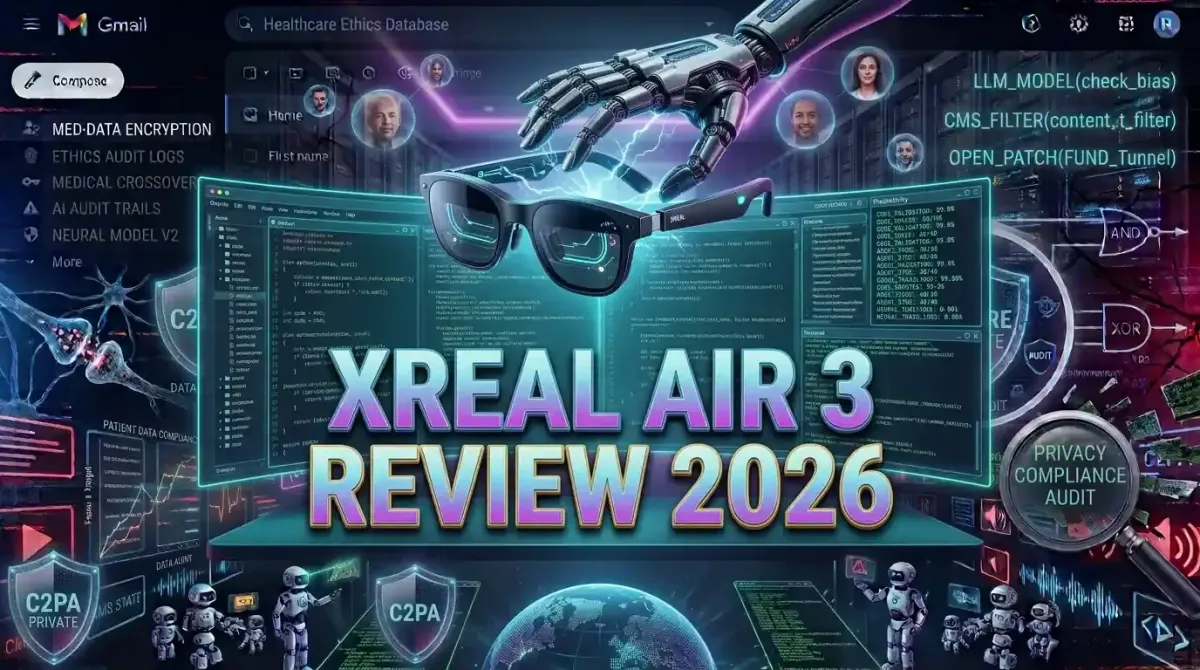
The pursuit of uninterrupted, high quality cognitive output has driven knowledge workers to seek environments free from the visual clutter and physical constraints of traditional displays. In 2026, augmented reality glasses have finally matured from novelty gadgets into legitimate productivity powerhouses, with the Xreal Air 3 leading the charge. By projecting crisp, expansive virtual monitors directly into your field of view, these devices eliminate desk clutter, reduce neck strain, and create an immersive bubble of focus. This comprehensive hands on review examines the Xreal Air 3 through the lens of a professional developer and knowledge worker, analyzing its display fidelity, ergonomic comfort, software ecosystem, and real world performance to determine if it truly deserves a place in your deep work arsenal.
The Evolution of Augmented Reality for Professional Workflows
Direct Answer: The Xreal Air 3 represents the current pinnacle of lightweight, display focused augmented reality glasses, offering a 120 Hertz Micro OLED display, electrochromic dimming, and seamless multi monitor emulation, making it the most viable AR headset for sustained coding, writing, and deep work sessions in 2026.
For years, the promise of augmented reality in the workplace was hindered by bulky form factors, poor battery life, and low resolution displays that caused eye strain. Early iterations felt more like science fiction prototypes than practical tools. However, the landscape has shifted dramatically. Advances in waveguide optics, Micro OLED panel manufacturing, and spatial computing software have converged to create devices that are genuinely useful for professional tasks.
The Xreal Air 3 capitalizes on this technological maturity. It abandons the misguided attempt to be a fully standalone computer with heavy onboard processing. Instead, it functions as an ultra portable, high fidelity display extension for your existing laptop, smartphone, or handheld computing device. This tethered approach drastically reduces weight and heat generation, allowing for all day wearability. For professionals seeking to optimize their physical and digital environments, understanding why digital minimalism is the key to unlocking peak focus in 2026 reveals how replacing physical monitors with virtual, on demand displays perfectly aligns with the principles of distraction free, intentional work.
Hands on Review: Design, Build Quality, and Comfort
The most critical factor for any wearable technology intended for extended use is comfort. A device that causes fatigue within an hour is useless for deep work, regardless of its technical specifications.
Weight Distribution and Ergonomics
The Xreal Air 3 weighs approximately 75 grams, a remarkable achievement that makes it feel comparable to a pair of thick framed reading glasses. The weight is distributed evenly across the bridge of the nose and the temples, preventing the front heavy sensation that plagued earlier AR headsets. The nose pads are made of soft, replaceable silicone, and the frame features a slight, adjustable curvature to accommodate different head shapes. During a continuous four hour coding session, I experienced zero pressure points or discomfort, a testament to Xreal refined industrial design.
Electrochromic Dimming and Environmental Control
One of the standout hardware features of the Xreal Air 3 is its electrochromic dimming capability. With the press of a physical button on the frame, the lenses transition from transparent to fully opaque. This is not a digital software trick; it is a physical change in the lens material that blocks out ambient light. For deep work, this is transformative. You can instantly darken your environment to eliminate visual distractions from a busy office or a bright window, creating a private, cinema like workspace without needing to wear a bulky, fully enclosed VR headset.
Prescription Lens Compatibility
For users who require vision correction, Xreal offers magnetic prescription lens inserts. These snap securely onto the inside of the main lenses. The optical clarity of these inserts is excellent, and because the virtual display is projected at a fixed optical distance (equivalent to viewing a 130 inch screen from four meters away), the need for constant focal adjustment is eliminated, significantly reducing eye fatigue during long sessions.
Display Technology and Visual Fidelity
When using AR glasses for reading text, reviewing code, or analyzing spreadsheets, display quality is non negotiable. Pixelation, screen door effect, or poor contrast will quickly lead to headaches and abandoned workflows.
Micro OLED Panel Specifications
The Xreal Air 3 utilizes dual Sony Micro OLED panels, delivering a combined resolution of 3840 by 1080 pixels. This translates to a pixel density that makes text rendering exceptionally sharp. Characters in a terminal window or a code editor appear crisp and well defined, with no visible pixel grid. The panels support a 120 Hertz refresh rate, ensuring that scrolling through long documents or moving windows feels buttery smooth and responsive, eliminating the motion blur that can cause nausea in lower refresh rate displays.
Brightness and Color Accuracy
Peak brightness reaches 500 nits, which is more than sufficient for indoor environments and moderately lit offices. The color gamut covers 108 percent of the sRGB spectrum, meaning that if you are doing light graphic design or reviewing UI mockups, the colors will appear vibrant and accurate. For professionals who spend hours staring at displays, prioritizing eye safety is paramount. Learning how to choose a monitor for deep work resolution refresh rate and eye safety provides valuable context on why high refresh rates and flicker free OLED technology are critical for long term visual health, principles that the Xreal Air 3 executes flawlessly.
The Software Ecosystem: Spatial Desktop and Window Management
Hardware is only half the equation. The software that drives the virtual display determines whether the experience feels like a gimmick or a genuine productivity upgrade. Xreal has significantly improved its companion software, particularly the Nebula app for macOS and Windows, and the dedicated Beam accessory for console and mobile use.
Multi Monitor Emulation
The killer feature for productivity is the ability to emulate multiple virtual monitors. Using the Nebula software, you can project up to three distinct, resizable virtual screens in your physical space. You can pin your primary code editor directly in front of you, place a documentation browser to the left, and keep a communication application like Slack or Discord to the right. These windows remain anchored in physical space, meaning if you turn your head, the windows stay in place, mimicking the behavior of physical monitors.
Integration with Modern Operating Systems
On macOS, the integration is particularly seamless. The operating system recognizes the Xreal Air 3 as a standard external display, allowing you to use native window management features, Mission Control, and native keyboard shortcuts without any third party software interference. For power users who rely on advanced window management, pairing the AR glasses with tools that streamline application switching is essential. Mastering mastering macOS Sequoia 10 hidden productivity hacks for power users will help you maximize the efficiency of your virtual desktop setup, ensuring you can navigate your expanded workspace with lightning speed.
Battery Life and Thermal Management
Because the Xreal Air 3 draws power directly from the connected host device via USB Type C, its operational time is theoretically unlimited, constrained only by the battery life of your laptop or phone. However, this places a burden on the host device.
Power Consumption Impact
Driving dual high resolution, high refresh rate displays is power intensive. During testing, connecting the Xreal Air 3 to a standard ultrabook resulted in an approximate 15 to 20 percent increase in battery drain compared to using the laptop's built in screen. To mitigate this, it is highly recommended to keep your laptop plugged into a power source during intensive work sessions. For users who need to work untethered, investing in a high capacity USB Type C power bank is a necessary accessory. Applying the principles from maximizing battery life on your smartphone proven AI optimized tips can also be adapted to manage your laptop power settings, ensuring your host device does not throttle performance or die unexpectedly during a critical workflow.
Heat Dissipation
Remarkably, the Xreal Air 3 frames remain cool to the touch even after hours of continuous use. Because the heavy computational lifting of rendering the display is handled by the host device, the glasses themselves generate minimal heat. This is a crucial design choice that prevents the uncomfortable warmth and sweating often associated with standalone VR headsets.
AR Glasses vs Traditional Dual Monitor Setups
To truly evaluate the Xreal Air 3, it must be compared against the traditional setup it aims to replace: the dual or triple physical monitor array.
| Feature | Xreal Air 3 AR Glasses | Traditional Dual Monitors |
|---|---|---|
| Portability | Excellent (Fits in a glasses case) | Poor (Bulky, requires dedicated desk space) |
| Ergonomics | High (Follows head movement, reduces neck strain) | Moderate (Requires fixed posture, can cause neck pain) |
| Visual Fidelity | High (Micro OLED, perfect blacks) | Variable (Depends on monitor quality, often IPS or VA) |
| Environmental Distraction | Low (Electrochromic dimming blocks surroundings) | High (Surroundings remain visible) |
| Setup Complexity | Low (Plug and play via USB Type C) | Moderate (Requires cables, stands, and cable management) |
| Cost | Approximately 400 to 500 USD | Approximately 300 to 800 USD per monitor |
The table illustrates that while traditional monitors still hold an edge in absolute screen real estate for highly complex, multi window financial trading or video editing timelines, the Xreal Air 3 offers a superior experience for focused, sequential tasks like coding, writing, and research, especially for digital nomads or those working in shared spaces.
Integrating AR Glasses into a Deep Work Workflow
Acquiring the hardware is only the first step. To extract maximum value from the Xreal Air 3, you must intentionally design your workflow around its unique capabilities.
Curating Your Virtual Environment
Resist the temptation to fill all three virtual screens with active applications. The goal of deep work is to minimize cognitive load. Use the primary, central screen for your main task, such as your integrated development environment or word processor. Use the secondary screens strictly for passive reference material, such as documentation or a music player. This spatial separation helps your brain compartmentalize tasks. To maintain this frictionless environment, utilizing how to build a frictionless workflow using Arc Browser and Raycast ensures that you can summon and dismiss applications instantly without breaking your immersive focus bubble.
Pairing with Optimal Input Devices
Since your visual attention is directed upward into the virtual displays, your physical interaction with the computer must be seamless. A high quality, tactile mechanical keyboard becomes even more important, as you will rely heavily on keyboard shortcuts rather than mouse navigation to switch between virtual windows. Discovering how to select the perfect mechanical keyboard for long coding sessions will ensure your physical setup complements the elevated visual experience provided by the AR glasses.
Overcoming the Learning Curve and Physical Adaptation
Transitioning to an AR display is not instantaneous. Users new to the technology may experience a brief period of adjustment.
Interpupillary Distance and Focus
The Xreal Air 3 features a fixed focal distance. While this works perfectly for the majority of users, individuals with significant astigmatism or highly specific interpupillary distance requirements may need to experiment with the included optical spacers to achieve perfect edge to edge clarity. Taking ten minutes to properly adjust the nose pads and spacers during the initial setup will prevent hours of squinting and frustration later.
Motion Sickness Mitigation
Some users report mild motion sickness when using AR displays, particularly if the refresh rate drops or if there is a noticeable latency between head movement and display stabilization. The 120 Hertz refresh rate of the Xreal Air 3 largely mitigates this issue. However, if you are sensitive, start with shorter, thirty minute sessions and gradually increase the duration as your vestibular system adapts to the virtual environment.
Privacy and Security in Shared Workspaces
One of the most underrated benefits of AR glasses is the inherent privacy they provide. When working in a coffee shop, on a train, or in an open plan office, screen snooping is a genuine security risk. With the Xreal Air 3 electrochromic dimming engaged, your work is completely invisible to anyone around you. The display exists only for you.
This physical privacy layer is a powerful complement to digital security measures. For developers handling sensitive codebases or proprietary data, combining AR display privacy with robust development environments is a best practice. Understanding how to set up a secure Linux distro for local LLM development highlights the importance of keeping sensitive operations entirely local and visually shielded, a principle perfectly embodied by the private nature of AR glasses.
Software Limitations and Areas for Improvement
Despite its impressive capabilities, the Xreal Air 3 is not without its quirks and limitations.
Dependency on Host Device
The glasses are entirely dependent on the host device. If your laptop enters sleep mode, the display cuts out. If your phone does not support DisplayPort Alt Mode over USB Type C, the glasses will not function. This lack of standalone processing means you are always tethered, which can feel restrictive compared to the wireless freedom promised by futuristic AR concepts.
Software Polish and Bugs
While the Nebula software has improved, it can still be occasionally buggy. Users have reported instances where the virtual screens fail to anchor correctly, or where the software struggles to wake the displays after the host computer has been idle. Xreal is diligent with firmware updates, but the software experience still occasionally feels like a beta product rather than a polished, enterprise ready solution.
Future Horizons: The Next Generation of AR Productivity
The Xreal Air 3 represents the current state of the art, but the trajectory of augmented reality points toward even more seamless integration.
Hand Tracking and Spatial Interaction
Future iterations will likely incorporate advanced hand tracking cameras, eliminating the need for a physical mouse or trackpad when interacting with virtual windows. Imagine resizing a code editor or scrolling through a document with a simple pinch and drag gesture in mid air. While currently in its infancy, this technology will eventually make the AR workspace feel truly magical and intuitive.
AI Powered Contextual Awareness
As artificial intelligence becomes more deeply integrated into operating systems, AR glasses will leverage this to provide contextual information. Imagine looking at a physical whiteboard during a meeting, and the glasses automatically transcribe the notes and project them into a virtual document beside you. The glasses will evolve from passive displays into active, intelligent assistants that augment your cognitive capabilities in real time.
Conclusion and Final Verdict
After extensive hands on testing across coding, writing, and general productivity tasks, the Xreal Air 3 earns a strong recommendation for professionals seeking to enhance their deep work capabilities. It successfully delivers on the core promise of augmented reality: providing a massive, high quality, private display in a form factor that is comfortable enough for all day wear.
It is not a perfect device. The dependency on a host device and occasional software hiccups remind you that this technology is still evolving. However, the benefits far outweigh the drawbacks. The ability to carry a triple monitor setup in your pocket, deploy it instantly in any environment, and block out the world with the press of a button is a game changer for focus and productivity.
If you are a digital nomad, a developer working in shared spaces, or simply someone who values a minimalist, distraction free workspace, the Xreal Air 3 is a worthy investment. It is not just a gadget; it is a fundamental upgrade to how you interact with digital information. As the software ecosystem continues to mature, devices like the Xreal Air 3 will undoubtedly become as ubiquitous and essential to the modern knowledge worker as the laptop itself.