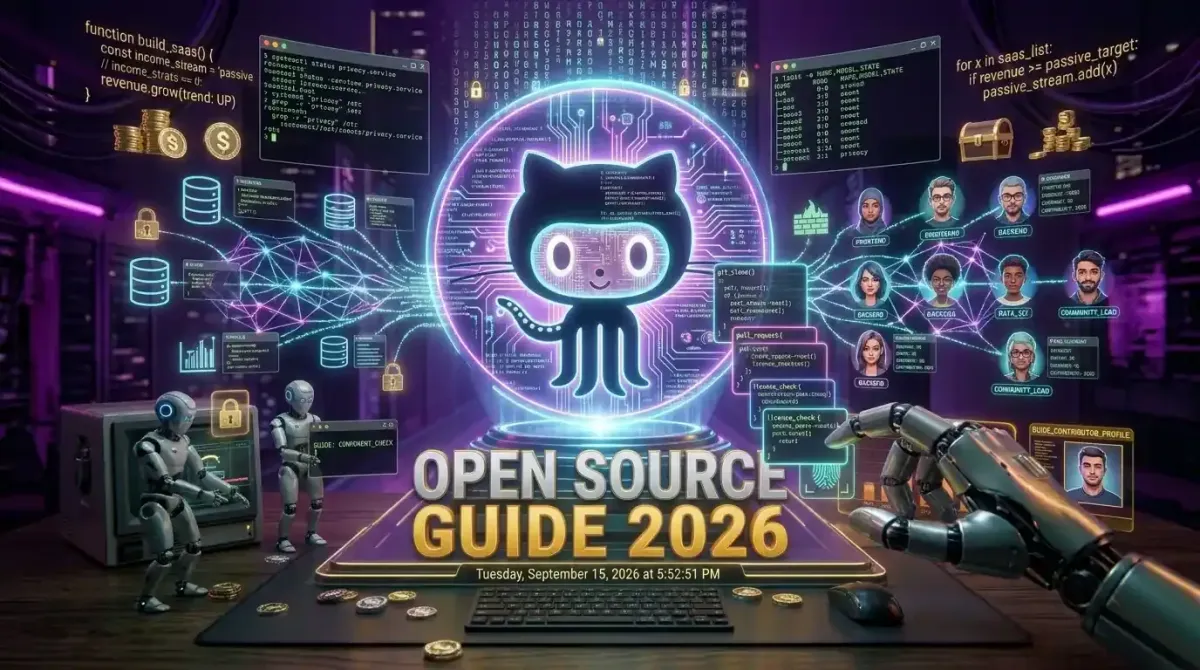
Contributing to open source software requires forking a repository, cloning it to your local environment, creating an isolated feature branch, writing code that adheres to the project specific style guidelines, and submitting a detailed pull request for maintainer review. To succeed in 2026, beginners must also leverage AI assisted coding tools for test generation, understand asynchronous communication etiquette, and target repositories with active maintainer communities and clear contribution documentation. This systematic approach transforms intimidating codebases into accessible learning environments, allowing developers to build verifiable portfolios while advancing global software infrastructure.
The Open Source Ecosystem in 2026
The open source landscape has evolved dramatically. It is no longer just a hobbyist pursuit or a way to get free software. In 2026, open source is the foundational layer of the global digital economy, powering everything from cloud infrastructure and artificial intelligence models to embedded systems and space exploration hardware. For developers, contributing to these projects is the most effective way to demonstrate technical competency, collaborate across borders, and accelerate career growth.
Direct Answer: To make your first open source contribution, find a repository with a "good first issue" label, read the CONTRIBUTING.md file, fork the project, set up the local development environment using containerization, write your code with accompanying tests, and submit a pull request that clearly explains the problem solved and the methodology used.
The barrier to entry has never been lower, yet the expectations for code quality have never been higher. Maintainers are inundated with pull requests, many of which are generated by automated AI agents or inexperienced developers who have not read the documentation. Standing out requires a combination of technical rigor, empathy for the maintainers, and a deep understanding of collaborative software development workflows.
For those just starting their journey, understanding how to contribute to open source projects a guide for new developers provides the essential roadmap for navigating repository structures, understanding licensing, and making that crucial first commit without overwhelming the community.
Preparing Your Local Development Environment
Before you write a single line of code for an open source project, you must ensure your local environment is configured for success. Open source projects often have complex dependencies, specific version requirements, and intricate build processes. Relying on manual installation of dependencies is a recipe for frustration and environment specific bugs.
Containerization and Reproducibility
The industry standard for open source development in 2026 is containerization. Most mature repositories include a Dockerfile or a docker-compose.yml file. This allows you to spin up the exact database, cache, and service dependencies the project requires with a single command. If a project uses Docker, you should too. It ensures that your local environment perfectly mirrors the continuous integration pipeline, preventing the dreaded "it works on my machine" excuse.
If you are new to containerized development, mastering Docker Desktop a step by step guide for setting up local environments will give you the foundational skills needed to spin up complex, multi service architectures locally without polluting your host operating system.
Choosing the Right Integrated Development Environment
Your IDE is your primary weapon. While Visual Studio Code remains popular, the rise of AI native editors has shifted the paradigm. Tools that integrate large language models directly into the editor can help you understand unfamiliar codebases, generate boilerplate test cases, and explain complex architectural patterns written by developers from around the world.
Evaluating Cursor IDE in depth review is this the end of VS Code dominance reveals how AI integrated environments are drastically reducing the time it takes to onboard into a massive, unfamiliar open source codebase by allowing you to query the entire repository contextually.
Leveraging AI for Code Comprehension
When you clone a repository with hundreds of thousands of lines of code, understanding the architecture can feel impossible. AI coding assistants can parse the abstract syntax tree and explain how data flows from the API gateway to the database layer. However, you must use these tools responsibly. Maintainers can easily spot AI generated code that lacks context or ignores project specific conventions. Use AI to understand the code, but write the final implementation yourself to ensure it aligns with the project's architectural philosophy.
Understanding is GitHub Copilot the best development tool for beginners helps you determine how to balance AI assisted code generation with the deep learning required to truly master a new framework or language.
Finding the Right Projects and Issues
The biggest mistake beginners make is targeting massive, highly complex projects like the Linux kernel or React for their very first contribution. While these projects are vital, their contribution guidelines are stringent, and the review process can take months. It is crucial to start with projects that are actively seeking new contributors and have a welcoming community.
Identifying "Good First Issues"
GitHub and GitLab have standardized the use of labels to help new contributors find accessible tasks. Search for repositories using the "good first issue", "help wanted", or "beginner friendly" labels. These issues are specifically curated by maintainers to require minimal domain knowledge while providing a clear path to resolution. They often involve fixing documentation typos, adding unit tests for edge cases, or updating deprecated dependencies.
Aligning with Your Tech Stack
You will be most effective when contributing to projects built with technologies you already understand or are actively trying to learn. If you are a frontend developer, look for open source design systems or component libraries. If you are backend focused, look for API frameworks or database tools.
Exploring top 5 modern frameworks every full stack developer should learn can help you identify which ecosystems have the most vibrant open source communities and the highest demand for new contributors.
Evaluating Project Health
Not all open source projects are healthy. Before investing your time, evaluate the project's activity. Check the date of the last commit. Are the maintainers responding to pull requests, or are there hundreds of unreviewed issues dating back years? A project with a responsive maintainer and a clear code of conduct is essential for a positive contribution experience. You want to contribute to a living ecosystem, not a digital graveyard.
The Technical Git Workflow for Contributors
Git is the universal language of open source collaboration. Mastering the Git workflow is non negotiable. You must understand how to keep your fork synchronized with the upstream repository, how to rebase your commits to maintain a clean history, and how to resolve merge conflicts without destroying the project's commit log.
Forking and Cloning
Never clone the main repository directly to your local machine. Always create a fork under your own GitHub or GitLab account. This gives you a personal sandbox where you can push branches and experiment without affecting the upstream project. Once forked, clone your personal repository locally.
git clone https://github.com/your-username/project-name.git
cd project-name
git remote add upstream https://github.com/original-owner/project-name.git
Branching Strategy
Never work directly on the main or master branch. Create a new, descriptively named branch for every issue you tackle. This isolates your changes and makes it easier for maintainers to review your code. Use conventional commit naming structures for your branches, such as feature/add-dark-mode or fix/resolve-memory-leak.
git checkout -b fix/update-dependency-versions
Committing and Signing
Many enterprise level open source projects require a Developer Certificate of Origin (DCO) to ensure that you have the legal right to submit the code. This is handled by signing your commits with the -s flag. Furthermore, your commit messages should be atomic and descriptive. Avoid vague messages like "fixed bug" or "updated code". Explain what was changed and why.
git commit -s -m "fix: resolve null pointer exception in user authentication module"
Rebasing Against Upstream
Open source moves fast. While you were working on your feature, other contributors may have merged code into the main branch. Before submitting your pull request, you must rebase your branch against the latest upstream main branch. This ensures your code is built on the most recent version of the project and prevents messy merge commits.
git fetch upstream
git rebase upstream/main
For a deeper dive into version control strategies and how they scale across massive distributed teams, reviewing comparing Docker vs Kubernetes which one do you need provides context on how infrastructure as code repositories manage complex, multi environment deployments using advanced Git workflows.
Crafting the Perfect Pull Request
The pull request (PR) is your resume. It is how maintainers evaluate not just your code, but your ability to communicate, follow instructions, and collaborate. A poorly described PR with failing tests will be closed immediately, regardless of the code quality.
Reading the Contribution Guidelines
Every mature repository has a CONTRIBUTING.md file. This document is the law. It dictates the coding style, the required test coverage, the commit message format, and the PR template. Ignoring this file is the fastest way to get your PR rejected. Read it thoroughly before writing a single line of code, and read it again before submitting your PR.
Writing a Descriptive PR Body
Do not leave the PR description blank. Use the provided template to explain the context of the issue, the approach you took to solve it, and any potential side effects. Include screenshots or terminal output if the change affects the user interface or command line output. Provide step by step instructions on how the maintainer can test your changes locally.
Ensuring Continuous Integration Passes
Modern repositories use CI/CD pipelines to automatically run linters, formatters, and test suites on every pull request. If your PR fails the CI checks, maintainers will not review it. Run the linters and test suites locally before pushing your code. Fix any formatting issues, ensure all new code is covered by unit tests, and verify that no existing tests are broken by your changes.
Navigating the Code Review Process
Once your PR is submitted, it enters the review queue. This is where many beginners experience imposter syndrome. Maintainers will scrutinize your code, point out logical flaws, and request changes. This is not a personal attack; it is a quality control mechanism designed to protect the integrity of the project.
Handling Feedback with Grace
When a maintainer requests changes, respond promptly and professionally. If you disagree with a suggestion, explain your reasoning with technical evidence, but be prepared to妥协 if the maintainer has the final say. Remember that they have a deeper understanding of the project's long term architecture and edge cases.
Understanding the psychology and technical standards behind 10 productivity frameworks that actually work for tech founders can help you manage your time effectively when balancing open source contributions with a full time job or university studies, ensuring you do not burn out during the review cycle.
Iterating on Changes
Make the requested changes in your local branch, commit them, and force push to your fork. This updates the existing pull request without creating a new one. Keep the commit history clean. If the maintainer asks for a minor tweak, you can squash it into your original commit using an interactive rebase before the final merge.
The Waiting Game
Maintainers are often volunteers with full time jobs. It may take days or even weeks for your PR to be reviewed. Do not spam the issue tracker with comments asking for a review. If a reasonable amount of time has passed, a polite, single ping is acceptable. Patience and persistence are key traits of successful open source contributors.
Beyond Code: Documentation and Community Building
Open source is not just about writing code. Some of the most valuable contributions involve documentation, community support, and project management. If you are not ready to submit complex code changes, you can still make a massive impact.
Improving Documentation
Documentation is notoriously underfunded and poorly maintained in many projects. If you find a typo, a broken link, or an unclear explanation in the README, fix it. If you struggled to set up the local environment, write a guide and submit it. Clear, comprehensive documentation lowers the barrier to entry for the next generation of contributors.
Triage and Community Support
Helping other users in GitHub Discussions, Stack Overflow, or Discord servers is a vital contribution. Answering questions, reproducing bugs, and labeling issues helps maintainers focus on writing code rather than customer support. This builds your reputation within the community and demonstrates your deep understanding of the software.
Design and Accessibility
If you have design skills, offer to improve the user interface, create better icons, or audit the project for accessibility compliance. Many open source projects suffer from poor usability simply because no one with design expertise has volunteered to help. Exploring the best open source alternatives to premium creative software can help you contribute high quality visual assets and design systems to projects that lack dedicated design teams.
Hardware and Ergonomics for Long Coding Sessions
Contributing to open source often happens outside of normal working hours. You might be debugging a complex memory leak at midnight or reviewing a massive pull request on a weekend. Protecting your physical health and optimizing your hardware setup is critical for sustaining long term contributions without burning out.
Visual Ergonomics and Display Selection
Reading thousands of lines of code requires a high quality display. A monitor with a high resolution, accurate color reproduction, and built in eye care technology reduces visual fatigue during long debugging sessions. When you are tracing a bug through a deeply nested call stack, screen real estate and clarity are your best friends.
Learning how to choose a monitor for deep work resolution refresh rate and eye safety ensures that your hardware setup supports extended coding sessions without causing long term strain or headaches.
Tactile Feedback and Keyboard Selection
The keyboard is your primary interface with the open source world. A high quality mechanical keyboard with tactile switches not only makes typing more enjoyable but also improves your typing accuracy and speed. When you are writing complex Git commands or drafting detailed pull request descriptions, the right keyboard reduces friction and keeps you in a flow state.
Discovering how to select the perfect mechanical keyboard for long coding sessions will help you find a switch profile and layout that minimizes finger fatigue during those marathon weekend contribution sprints.
Building Your Career Through Open Source
The benefits of contributing to open source extend far beyond the code you write. It is one of the most powerful tools for career advancement, networking, and skill acquisition in the technology industry.
Creating a Verifiable Portfolio
Anyone can claim they know how to code on a resume. A GitHub profile filled with merged pull requests in respected repositories is undeniable proof of your abilities. It shows that you can read other people's code, adhere to strict style guidelines, write tests, and collaborate asynchronously. Recruiters and engineering managers actively scan GitHub profiles to find talented developers who are passionate about their craft.
Networking with Industry Experts
Open source projects are often maintained by senior engineers, principal architects, and industry experts from top technology companies. By contributing to their projects, you are directly interacting with these leaders. A well written pull request and a professional code review interaction can lead to mentorship opportunities, job referrals, and lasting professional relationships.
Mastering New Technologies
The best way to learn a new programming language or framework is to read its source code and contribute to its ecosystem. When you are forced to fix a bug in a Rust based web server or add a feature to a Python machine learning library, you learn the internal workings of the technology in a way that tutorials simply cannot provide. This deep, practical knowledge makes you an invaluable asset to any engineering team.
Future Trends in Open Source Contributions
As we move deeper into 2026, the mechanics of open source contribution are being reshaped by artificial intelligence and new collaboration paradigms.
AI Assisted Code Review
Maintainers are increasingly using AI agents to perform the first pass of code reviews. These agents check for security vulnerabilities, style violations, and logical inconsistencies before a human maintainer ever looks at the pull request. As a contributor, you must ensure your code is clean, well documented, and free of obvious security flaws, as AI reviewers will instantly flag and reject substandard submissions.
Automated Documentation and Testing
AI tools are now capable of generating comprehensive unit tests and updating documentation automatically when code changes are merged. While this reduces the manual burden on maintainers, it also means that contributors are expected to provide higher level architectural insights and complex logic, as the mundane tasks are increasingly handled by automated pipelines.
The Rise of Micro Contributions
Platforms are introducing features that allow for "micro contributions", where developers can fix small issues or update translations directly from a web interface without needing to clone the repository or understand the entire build process. This lowers the barrier to entry even further, allowing a broader range of users to participate in the open source ecosystem.
Conclusion
Contributing to open source is a journey that transforms you from a consumer of software into a creator and custodian of global digital infrastructure. It requires patience, technical rigor, and a willingness to step outside your comfort zone. The first pull request is always the hardest, but the satisfaction of seeing your code merged into a project used by thousands or millions of people is unparalleled.
Start small. Fix a typo. Add a test. Update a dependency. Learn the Git workflow. Engage with the community respectfully. Over time, these small contributions compound into a deep understanding of software architecture, a robust professional network, and a career built on verifiable, high quality engineering. The open source world is waiting for your unique perspective and your technical skills. Fork the repository, create your branch, and write the code that will shape the future of technology.