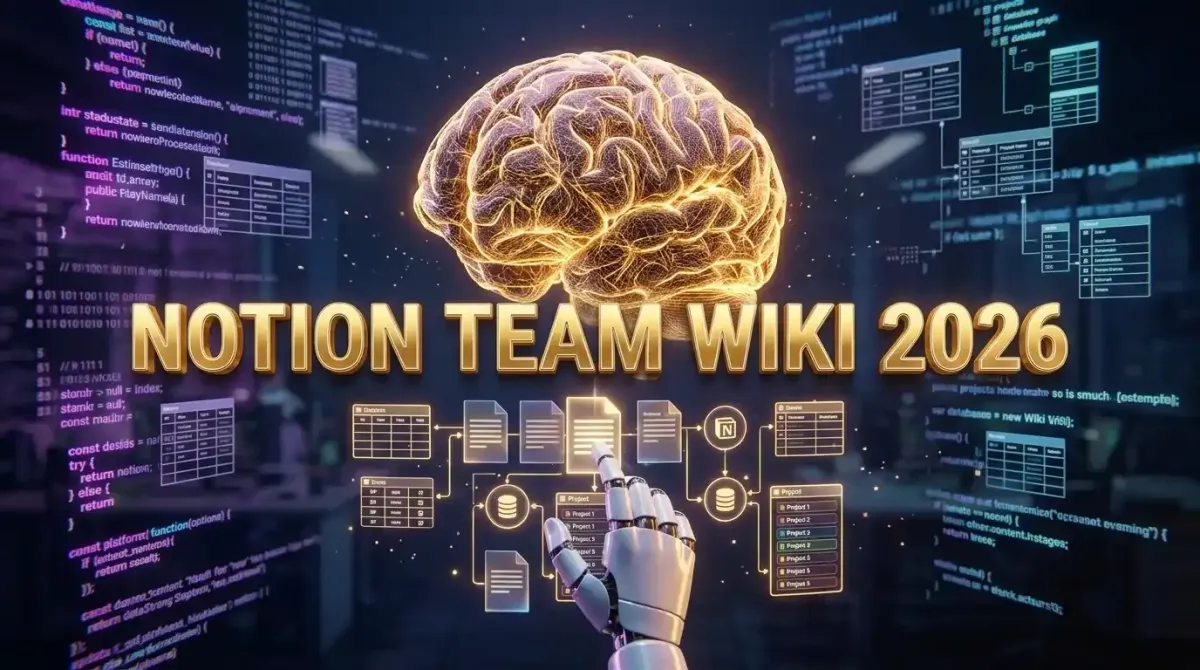
Configuring Notion as a high performance team wiki in 2026 requires moving beyond simple document storage and building a relational knowledge graph powered by interconnected databases, automated API pipelines, and native AI extraction. To achieve this, teams must design a master index architecture using advanced relation and rollup properties, enforce strict naming conventions, and integrate external tools via the Notion API to ensure data flows seamlessly from project management and CRM systems directly into the wiki. This systematic approach transforms Notion from a static repository into a dynamic, searchable, and self updating operating system for your entire organization.
The Architecture of a High Performance Notion Wiki
Direct Answer: A high performance Notion wiki relies on a hub and spoke database architecture where master databases act as the single source of truth, and linked dashboard views provide contextual, filtered access for different teams without duplicating data.
The most common mistake organizations make when adopting Notion is treating it like a traditional folder based file system. They create nested pages, bury critical information three clicks deep, and rely on manual copy and paste updates. In 2026, a high performance wiki operates on a relational database model. Every piece of information, whether it is a standard operating procedure, a meeting note, or a technical specification, is a row in a master database.
This paradigm shift is crucial for scalability. When you use a relational architecture, updating a client name in your master CRM database automatically reflects across every linked project brief, meeting note, and invoice record in your wiki. Understanding what is no code development helps teams realize that Notion is not just a note taking app; it is a fully functional relational database engine that allows non technical users to build complex, interconnected data systems without writing a single line of SQL.
The Hub and Spoke Model
Your wiki should be structured around four to five core master databases. These are the hubs:
- Projects and Initiatives: Tracks high level goals, timelines, and owners.
- Tasks and Action Items: Granular, assignable work units linked to projects.
- Knowledge Base and SOPs: Evergreen documentation, technical guides, and company policies.
- People and Teams: Employee directories, roles, and responsibilities.
- Meetings and Decisions: Chronological logs of discussions, linked to the projects they impact.
Instead of creating a new page for every meeting, you create a new row in the Meetings database. You then use relation properties to link that meeting to the relevant Projects and People. This ensures that if you need to see the complete history of a specific project, you simply open the Project row and view all linked meetings, tasks, and knowledge base articles in one unified dashboard.
Step by Step Schema Design for Enterprise Teams
Building the underlying schema is the most critical phase of your wiki configuration. A poorly designed schema will lead to data silos and broken links, while a robust schema will make your wiki a joy to use.
Phase 1: Defining Master Database Properties
Every master database needs a standardized set of properties to ensure consistency across the organization. For the Knowledge Base database, you must implement the following core properties:
- Title: The name of the document or SOP.
- Status: A select property with options like Draft, In Review, Published, and Deprecated.
- Category: A multi select property for broad topics like Engineering, Marketing, HR, and Operations.
- Owner: A person property assigning accountability for the document's accuracy.
- Last Audited: A date property to track when the information was last verified.
- Related Projects: A relation property linking to the Projects master database.
Phase 2: Implementing Rollups for Context
Rollups allow you to pull data from a related database and display it in your current view. For example, in your Projects database, you can create a rollup property that calculates the percentage of completed tasks linked to that project. This provides instant visibility into project health without requiring manual status updates.
For teams managing complex data structures, learning how to use AI for seamless spreadsheet and data management can complement your Notion setup by allowing you to process massive external datasets and push the summarized insights directly into your Notion rollup fields via API.
Phase 3: Building the Team Dashboards
Once your master databases are configured, you build team specific dashboards using linked views. A linked view is simply a window into a master database, filtered and sorted for a specific audience. The Engineering Dashboard might show a board view of all tasks tagged with the Engineering category, sorted by priority. The Executive Dashboard might show a gallery view of all active projects, displaying the rollup progress bars and linked owners. This ensures that every team member sees exactly what they need without being overwhelmed by irrelevant data.
Automating the Wiki with the Notion API
A high performance wiki in 2026 does not rely on manual data entry. It ingests information automatically from the other tools your team uses daily. The Notion API allows you to build pipelines that push data from external sources directly into your master databases.
Connecting Your Tech Stack
Imagine a scenario where a new lead is closed in your CRM. An automation pipeline instantly creates a new row in your Notion Clients database, generates a linked row in the Projects database with a predefined onboarding template, and assigns the implementation team. This level of integration turns your wiki into the central nervous system of your business.
Setting up these connections is straightforward when you leverage established automation platforms. Implementing Zapier workflows for automation allows you to connect your CRM, email clients, and communication tools directly to Notion without writing custom code. For more complex logic, such as conditional routing based on deal size, exploring Make.com vs Zapier for complex logic will help you choose the right visual builder for your enterprise pipelines.
Example API Payload for Automated Page Creation
For developers building custom internal tools, the Notion API provides granular control over page creation and property updates. Below is a standard JSON payload for creating a new meeting note and linking it to an existing project.
POST https://api.notion.com/v1/pages
Headers:
  Authorization: Bearer YOUR_INTEGRATION_TOKEN
  Notion-Version: 2022-06-28
  Content-Type: application/json

Body:
{
  "parent": { "database_id": "YOUR_MEETINGS_DATABASE_ID" },
  "properties": {
    "Name": {
      "title": [
        {
          "text": { "content": "Q3 Architecture Review" }
        }
      ]
    },
    "Status": {
      "select": { "name": "Published" }
    },
    "Related Projects": {
      "relation": [
        { "id": "EXISTING_PROJECT_PAGE_ID" }
      ]
    },
    "Date": {
      "date": { "start": "2026-08-26" }
    }
  },
  "children": [
    {
      "object": "block",
      "type": "heading_2",
      "heading_2": {
        "rich_text": [{ "type": "text", "text": { "content": "Agenda" } }]
      }
    },
    {
      "object": "block",
      "type": "bulleted_list_item",
      "bulleted_list_item": {
        "rich_text": [{ "type": "text", "text": { "content": "Review database schema changes" } }]
      }
    }
  ]
}
By automating the creation of these pages, you ensure that your wiki is always populated with structured, standardized data, eliminating the friction of manual formatting and property selection.
Integrating AI for Knowledge Extraction and Search
The introduction of native AI capabilities has fundamentally changed how teams interact with their wikis. In 2026, Notion AI is not just a text generator; it is a deep semantic search engine that understands the context of your entire workspace.
AI Powered Q&A and Cross Database Search
Instead of manually searching for a specific policy, a team member can simply ask the Notion AI sidebar, "What is the protocol for requesting a production database rollback?" The AI scans the vector embeddings of your entire Knowledge Base, synthesizes the answer from the relevant SOPs, and provides direct links to the source documents. This drastically reduces the time spent hunting for information and minimizes the number of repetitive questions asked in communication channels.
This shift is part of a broader transformation in how professionals capture and retrieve information. As AI powered note taking apps are changing professional workflows, the ability to instantly query a massive repository of historical context using natural language is becoming a baseline expectation for enterprise software.
Automated Meeting Summarization and Action Extraction
Notion AI can automatically process raw meeting transcripts or rough notes, generating structured summaries, extracting key decisions, and identifying action items. You can configure a button in your Meetings database that, when clicked, triggers the AI to parse the page content, update the "Decisions Made" property, and automatically create linked rows in the Tasks database for each action item, assigning them to the correct team members based on the context of the notes.
Access Control and Security for Enterprise Wikis
As your wiki becomes the central repository for sensitive company data, security and access control become paramount. Notion provides enterprise grade security features that must be properly configured to protect your intellectual property.
Granular Permissions and Guest Access
Notion operates on a permission inheritance model. Permissions set at the workspace level cascade down to databases and individual pages, unless explicitly overridden. For a high performance wiki, you should establish strict workspace level defaults. For example, set the default role for all members to "Can Comment" on sensitive HR databases, while granting "Full Access" only to the HR team.
When working with external contractors or clients, use the Guest Access feature. Guests can be invited to specific pages or databases without being added to the entire workspace. This ensures that external stakeholders have access to the project briefs and assets they need, without exposing internal SOPs or financial data. Managing these external relationships is a key component of SaaS platforms for managing global remote teams, ensuring that collaboration does not compromise security.
SSO and SCIM Provisioning
For organizations with more than fifty users, implementing Single Sign On via SAML is mandatory. This allows you to manage Notion access through your central identity provider, such as Okta or Microsoft Entra ID. When an employee leaves the company, revoking their access in your identity provider instantly cuts off their access to the Notion wiki, preventing data exfiltration. Additionally, using SCIM provisioning automates the creation of Notion accounts and the assignment of team based permissions based on your directory groups.
Comparing Notion to Traditional Wiki Platforms
Many organizations migrating to Notion are coming from legacy wiki platforms like Confluence or GitBook. Understanding the architectural differences is crucial for a successful transition.
| Feature | Notion | Confluence | GitBook |
|---|---|---|---|
| Core Architecture | Relational Databases and Blocks | Hierarchical Page Tree | Git Based Documentation |
| Data Structure | Highly flexible, user defined properties | Rigid page and space structure | Markdown files and YAML frontmatter |
| AI Integration | Native, workspace wide semantic search | Third party plugin dependent | Basic AI writing assistance |
| Project Management | Built in boards, timelines, and calendars | Requires Jira integration | None, documentation only |
| Estimated Cost | Approximately 15 to 20 USD per user monthly | Approximately 10 to 15 USD per user monthly | Approximately 12 to 25 USD per user monthly |
While Confluence excels in deep integration with the Atlassian ecosystem and GitBook is preferred by engineering teams for API documentation, Notion offers a unified environment where project management, knowledge management, and AI search coexist. For teams evaluating their broader stack, reviewing project management tools for agile teams will help you determine if Notion can replace standalone PM software or if it should serve purely as the connective knowledge layer.
Optimizing Daily Interaction and Frictionless Workflows
A wiki is only effective if the team actually uses it. Reducing the friction of capturing and retrieving information is critical for adoption. The daily interaction with your Notion wiki should be seamless, fast, and integrated into your existing operating system workflows.
Global Search and Quick Capture
Notion's global search is powerful, but launching the app to capture a quick thought can interrupt your flow state. Power users configure system level shortcuts to capture information instantly. For Mac users, integrating macOS Sequoia hidden productivity hacks allows you to map a global hotkey that opens a specific Notion quick capture page, logs the current timestamp, and saves the clipboard content directly to your inbox database.
Similarly, leveraging tools like Raycast or Arc Browser extensions can create a frictionless bridge between your web research and your internal wiki. When you encounter a valuable article or a competitor update, a single keyboard shortcut can clip the URL, generate an AI summary, and append it to your Market Research database with all the correct tags applied automatically. Building a frictionless workflow using Arc Browser and Raycast ensures that your wiki is constantly fed with high quality, curated external intelligence without breaking your focus.
Real World Workflows for Tech and SaaS Teams
To illustrate the power of a properly configured Notion wiki, let us examine two specific workflows that drive efficiency in modern tech companies.
The Engineering Sprint and Documentation Pipeline
In a high performance engineering team, the wiki is the bridge between planning and execution. When a product manager finalizes a product requirement document in the Knowledge Base, an automation triggers the creation of a new Epic in the Projects database. As engineers break the Epic down into Tasks, they link those tasks to specific technical design documents in the wiki. When the code is merged and deployed, a CI/CD webhook updates the task status in Notion, which in turn updates the rollup progress on the Epic. This creates a live, real time dashboard of engineering velocity that is completely transparent to stakeholders.
The Client Onboarding and Finance Integration
For SaaS companies, the handoff from sales to customer success is a critical friction point. When a deal is marked as Closed Won in your CRM, an automation creates a comprehensive Client Onboarding page in Notion. This page pulls in the client's contract details, linked accounts, and initial project goals. As the onboarding progresses, the customer success team logs implementation milestones. Once the final milestone is checked off, an automation triggers automated invoice workflows using QuickBooks and Zapier, generating the first recurring billing invoice and notifying the finance team. The wiki acts as the central orchestrator of the entire customer lifecycle.
Connecting the Wiki to External CRMs and Sales Tools
Your team wiki should not exist in a vacuum. It must be deeply integrated with your customer facing tools to ensure that sales and support teams have instant access to the latest product knowledge and pricing strategies.
By using the Notion API, you can build a mirrored view of your product roadmap and feature release notes that syncs directly to your external customer facing portal. Furthermore, linking your wiki to your sales tools ensures that account executives can pull up standardized battle cards, objection handling scripts, and case studies directly within their daily workflow. Evaluating the best AI powered CRM tools will help you identify which platforms offer the deepest native integrations with Notion, ensuring that your sales team never has to leave their primary environment to find the information they need to close a deal.
Future Trends: Notion as an Operating System
As we look toward the end of 2026 and beyond, Notion is evolving from a wiki into a comprehensive operating system for knowledge work. The introduction of the Model Context Protocol and deeper local first syncing capabilities means that your wiki will become faster, more secure, and capable of running complex AI agents directly on your device.
Future iterations will likely include autonomous agents that monitor your wiki for outdated information, automatically draft updates based on recent meeting notes, and suggest new relational links between disparate databases. The wiki of the future is not a static library; it is an active, intelligent participant in your team's daily operations, continuously organizing, summarizing, and surfacing the exact knowledge required to drive your business forward.
Conclusion
Configuring Notion as a high performance team wiki requires a deliberate shift in mindset. You must abandon the temptation to use it as a simple digital filing cabinet and instead embrace its power as a relational database engine. By designing a robust hub and spoke architecture, enforcing strict schema properties, and automating data flows via the Notion API, you create a centralized source of truth that scales with your organization.
When combined with native AI capabilities for semantic search and automated summarization, a well configured Notion wiki eliminates information silos, drastically reduces time spent searching for context, and empowers every team member to make faster, better informed decisions. The investment you make in structuring your wiki today will compound exponentially, providing the foundational infrastructure for your team's productivity and growth for years to come.