How to Set Up a Local First AI Knowledge Base with Obsidian and Smart Connections
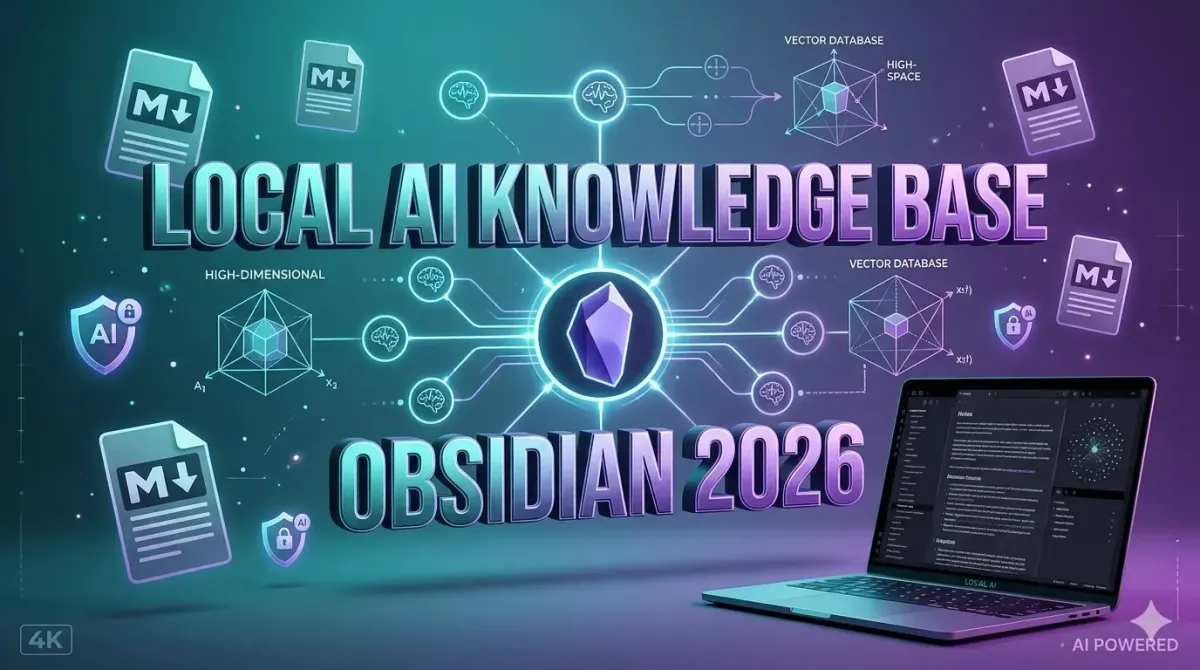
Building a local first AI knowledge base with Obsidian and the Smart Connections plugin in 2026 requires configuring a privacy focused architecture that combines semantic vector search, local large language models, and offline note synchronization. This approach eliminates cloud dependency, prevents data harvesting, and delivers sub second retrieval for personal and enterprise knowledge repositories. By embedding your markdown notes into high dimensional vector space using local models like BGE or Nomic, then querying them through Ollama or llamafile runtimes, you create a fully offline retrieval augmented generation system. This comprehensive technical guide provides step by step installation workflows, vector database optimization techniques, hardware acceleration configuration, prompt engineering templates, security hardening protocols, and troubleshooting methodologies required to deploy a production grade local AI knowledge ecosystem. Whether you are a developer, researcher, or knowledge worker, mastering this stack enables you to scale your intellectual capital while maintaining absolute data sovereignty and regulatory compliance.
Understanding Local First AI Architecture in 2026
Local first AI represents a paradigm shift from centralized cloud inference to edge based computation that keeps data, models, and processing entirely within your controlled environment. Traditional knowledge management tools rely on proprietary search algorithms and cloud hosted AI that analyze, store, and often monetize user content. Local first architecture reverses this model by executing embedding generation, vector similarity search, and language model inference directly on your hardware.
The architecture consists of four primary layers. The storage layer maintains your markdown vault as plain text files in a local directory. The embedding layer converts text into high dimensional numerical vectors using quantized transformer models optimized for CPU or GPU execution. The vector index layer stores these embeddings in a lightweight database like LanceDB or Chroma, enabling cosine similarity or inner product distance calculations. The inference layer runs local LLMs that consume retrieved context chunks and generate responses using retrieval augmented generation prompts. This stack operates entirely offline, making it ideal for sensitive research, regulated industries, and users prioritizing digital autonomy.
For professionals transitioning from cloud dependent systems, understanding how AI powered note taking apps are changing professional workflows provides essential context for evaluating how local AI architectures preserve functionality while eliminating privacy risks and subscription overhead.
Prerequisites and System Requirements
Deploying a local AI knowledge base requires adequate computational resources, storage capacity, and software dependencies. Proper hardware selection prevents performance bottlenecks during vector indexing and model inference.
Minimum Hardware Specifications:
- Processor: Eight core x86 or ARM processor with AVX2 instruction set support for efficient matrix operations
- Memory: Sixteen GB RAM minimum for concurrent embedding generation and local LLM execution; thirty two GB recommended for larger models
- Storage: Five hundred GB NVMe SSD for vault storage, vector database, and model weights; SSD mandatory for fast similarity search performance
- Graphics Acceleration (Optional): NVIDIA RTX series with eight GB VRAM or Apple Silicon M2 or higher for hardware accelerated inference
Software Dependencies:
- Obsidian desktop application version one point six or higher for vault management and plugin architecture
- Ollama or llamafile runtime for local model execution with quantization support
- Git version control for vault synchronization and backup automation
- Python three point ten or higher with pip package manager for optional vector database utilities
For organizations managing distributed teams across multiple locations, integrating this architecture with top 5 SaaS platforms for managing global remote teams enables secure vault synchronization while maintaining local inference boundaries.
Step One Installing Obsidian and Configuring the Vault
Obsidian serves as the foundational interface for your knowledge base, providing markdown editing, graph visualization, and plugin extensibility. Proper vault configuration ensures compatibility with semantic indexing and prevents metadata conflicts.
Installation and Initialization:
- Download Obsidian from the official website and install using your operating system package manager
- Create a new vault in a dedicated directory with clear naming conventions such as knowledge_base_ai or research_vault
- Disable automatic cloud sync features to maintain local first principles
- Enable core plugins including Daily Notes, Templates, and Command Palette for workflow efficiency
Vault Structure Optimization:
- Create top level folders for categories such as projects, reference, archives, and templates
- Implement consistent YAML front matter containing metadata like tags, creation dates, source URLs, and priority levels
- Configure link resolution settings to handle relative paths correctly across nested directories
- Set up automatic backup routines using Git hooks or scheduled filesystem snapshots
For developers seeking integrated environments that streamline configuration, reviewing a comprehensive guide to choosing the best IDE for your project reveals toolchain optimizations that complement Obsidian workflows and accelerate metadata management.
Step Two Deploying a Local LLM and Embedding Engine
Local AI capabilities require dedicated model runtimes that execute inference without external API calls. Ollama provides the most accessible deployment path for 2026 knowledge management workflows.
Ollama Installation and Model Selection:
- Execute curl command to download and install Ollama from official distribution channels
- Run ollama pull command to download embedding models such as bge large or nomic embed text optimized for semantic search
- Execute ollama pull llama three point one or mistral seven for language generation capabilities
- Verify installation by running ollama list and confirming model weights appear in the local directory
Hardware Acceleration Configuration:
- Set OLLAMA_NUM_PARALLEL environment variable to control concurrent request handling
- Configure OLLAMA_GPU_LAYERS to allocate model weights to GPU memory for accelerated inference
- Enable quantization by downloading four bit or eight bit model variants to reduce VRAM consumption
- Monitor thermal output and adjust worker count to prevent sustained throttling during extended indexing sessions
For infrastructure planning, understanding understanding CPU architecture what makes a processor fast helps determine whether CPU based inference meets your latency requirements or if GPU acceleration is necessary for production workloads.
Step Three Installing and Configuring Smart Connections
The Smart Connections plugin bridges Obsidian markdown files with your local embedding engine, enabling semantic similarity search and AI assisted note retrieval. Proper configuration ensures accurate vectorization and responsive query performance.
Plugin Installation and Initialization:
- Open Obsidian settings, navigate to Community Plugins, disable Safe Mode, and browse for Smart Connections
- Install the plugin and enable it in your active plugins list
- Configure the plugin settings to use local embedding providers instead of cloud APIs
- Set the embedding model endpoint to http colon slash slash localhost colon eleven four three four slash api slash embeddings
Indexing and Vector Storage Configuration:
- Define index scope by selecting specific vault folders to exclude archival or sensitive directories
- Configure chunk size to five hundred tokens for optimal semantic granularity without excessive fragmentation
- Set overlap to fifty tokens to preserve context boundaries between adjacent text segments
- Enable background indexing to prevent UI freezing during initial vector database population
For teams implementing advanced prompt workflows, exploring a beginner's guide to crafting the perfect prompts for gen ai provides foundational techniques that enhance local AI response quality and retrieval accuracy.
Advanced Vector Database Optimization
Efficient vector storage and similarity search determine knowledge base responsiveness. Tuning indexing parameters and database configuration prevents latency degradation as vault size grows.
Indexing Strategy:
- Implement hierarchical navigable small world or HNSW indexing for approximate nearest neighbor search with configurable accuracy trade offs
- Set M parameter to sixteen and efConstruction to two hundred for balanced build speed and query precision
- Configure efSearch to match HNSW depth for consistent retrieval latency across vault expansions
- Enable incremental updates that revectorize only modified files instead of rebuilding the entire index
Query Optimization:
- Limit top k results to five for focused context windows that prevent prompt overflow in local LLMs
- Apply distance threshold filtering to exclude semantically irrelevant matches below zero point six cosine similarity
- Enable cross encoder reranking using lightweight models like miniLM to improve result relevance before LLM generation
- Implement query caching for frequently accessed topics to reduce redundant embedding computation
For organizations prioritizing data governance, reviewing building privacy first AI techniques for secure data processing ensures vector database configurations comply with data minimization principles and prevent unintended information leakage across indexing layers.
Prompt Engineering for Local Knowledge Retrieval
Local AI knowledge bases require specialized prompt templates that leverage retrieved context while maintaining factual accuracy and citation integrity. Generic prompts produce hallucinated responses that undermine knowledge management objectives.
Retrieval Augmented Generation Template:
You are a precise knowledge assistant. Answer the user question using ONLY the provided context from the Obsidian vault. If the context does not contain sufficient information, state that clearly and do not invent details. Cite the exact note titles where information originates. Maintain concise technical language appropriate for professional workflows.

Context:
{retrieved_chunks}

Question:
{user_query}

Answer:
Optimization Techniques:
- Include negative instructions that explicitly prohibit external knowledge injection or speculative reasoning
- Request structured output using markdown tables or bullet points for consistent formatting across diverse query types
- Implement confidence scoring by asking the model to rate answer certainty on a one to ten scale based on context coverage
- Add metadata filters that restrict retrieval to specific tags, creation dates, or priority levels for targeted knowledge extraction
For developers automating repetitive documentation tasks, leveraging top 5 AI tools to automate your daily repetitive tasks complements local retrieval workflows by integrating prompt templates into broader automation pipelines.
Security Privacy and Compliance Alignment
Local first architecture inherently strengthens privacy posture, but additional hardening measures ensure compliance with regulatory frameworks and prevent unauthorized access to sensitive knowledge repositories.
Access Control Implementation:
- Enable filesystem encryption using VeraCrypt or BitLocker to protect vault data at rest
- Configure Obsidian plugin permissions to restrict external network calls and API access
- Implement role based access control by partitioning vault folders and applying read only permissions to shared directories
- Audit plugin activity logs to detect unauthorized data transmission or configuration modifications
Regulatory Compliance Considerations:
- Map vault metadata schemas to data classification requirements under GDPR and emerging AI governance standards
- Implement automated retention policies that archive or delete notes exceeding specified time thresholds
- Document local processing workflows to demonstrate compliance during security audits and regulatory reviews
- Establish incident response procedures that address potential indexing corruption or unauthorized local access
For organizations navigating evolving regulatory landscapes, understanding understanding the EU AI Act what it means for businesses worldwide helps align local knowledge base configurations with mandatory transparency and data processing requirements.
Performance Tuning and Hardware Acceleration
Maximizing local AI performance requires systematic optimization of embedding generation, vector search, and model inference across available hardware resources.
CPU Optimization:
- Compile embedding models with OpenBLAS or Intel oneMKL libraries for accelerated linear algebra operations
- Set thread pool size equal to physical core count to prevent context switching overhead
- Enable memory pinned arrays that reduce data transfer latency between RAM and CPU cache
- Monitor process priority and adjust scheduling to prevent system wide resource starvation during indexing
GPU Acceleration:
- Install CUDA toolkit or ROCm drivers matching your hardware architecture for optimal kernel execution
- Allocate VRAM using split tensor techniques that distribute model weights across available memory segments
- Enable tensor cores for mixed precision computation that accelerates matrix multiplication without sacrificing accuracy
- Profile GPU utilization using nvtop or rocm sys tools to identify bottlenecks and adjust batch sizes accordingly
For infrastructure planning, reviewing the role of GPUs in speeding up AI model training provides transferable insights into memory management and parallel processing strategies applicable to local knowledge base deployment.
| Optimization Area | Configuration Parameter | Expected Improvement | Resource Impact |
|---|---|---|---|
| Embedding Generation | Batch size sixteen, FP16 precision | Forty percent faster indexing | Higher VRAM utilization |
| Vector Search | HNSW M equals sixteen, ef equals one hundred | Sub fifty millisecond retrieval | Moderate memory overhead |
| LLM Inference | Four bit quantization, GPU layers twenty eight | Sixty percent latency reduction | Reduced model accuracy margin |
| Caching | Query result cache TTL thirty minutes | Seventy percent fewer repeated computations | Disk space consumption |
Troubleshooting Common Configuration Errors
Local AI knowledge base deployment frequently encounters predictable failures related to model compatibility, network binding, and indexing conflicts. Systematic debugging workflows prevent prolonged downtime and ensure reliable operation.
Embedding Connection Failures:
When Smart Connections reports endpoint errors, verify that Ollama is running as a background service and accepting requests on localhost port eleven four three four. Execute curl command with test payload to confirm API responsiveness. Check firewall rules that may block local loopback traffic and ensure no proxy configuration intercepts internal requests.
Index Corruption and Duplicate Vectors:
Index degradation occurs when vault files are modified externally or synchronization conflicts create duplicate paths. Resolve by clearing the vector database cache, triggering full reindex, and enabling file integrity verification that compares checksums before vectorization. Monitor plugin logs for warnings about malformed markdown or invalid YAML structures that interrupt chunking processes.
Memory Exhaustion During Large Vault Indexing:
Embedding generation for vaults exceeding fifty thousand notes frequently triggers out of memory errors. Mitigate by reducing batch size to four, enabling streaming index updates that process files sequentially, and increasing swap allocation as temporary overflow storage. Schedule indexing during low utilization periods and monitor RAM consumption using system resource managers.
For engineering teams implementing robust validation layers, understanding how AI powered debugging tools are saving hours of coding provides practical patterns for automating log analysis and identifying configuration mismatches in complex local AI stacks.
Scaling Your Local AI Knowledge Ecosystem
As knowledge repositories grow, local architectures must scale efficiently without sacrificing responsiveness or privacy guarantees. Strategic scaling approaches maintain performance while expanding capacity.
Distributed Indexing Architecture:
- Partition vaults by domain or department and maintain separate vector databases for each subset
- Implement federated search queries that aggregate results across multiple local indices without centralizing data
- Deploy lightweight synchronization protocols that exchange only vector metadata and similarity thresholds between nodes
- Establish master worker relationships where primary nodes coordinate query routing while secondary nodes handle specialized domain retrieval
Cloud Hybrid Integration:
- Use local first architecture for sensitive content while routing public or anonymized queries to cloud APIs when appropriate
- Implement selective export pipelines that anonymize metadata before transmitting to external research or collaboration platforms
- Configure fallback mechanisms that automatically route requests to local inference when network connectivity fails
- Maintain version controlled vault snapshots that enable rapid restoration during hardware failures or migration events
For teams managing infrastructure across hybrid environments, exploring comparing Docker vs Kubernetes which one do you need reveals containerization strategies that standardize local AI deployment across diverse hardware configurations.
Measuring ROI and Workflow Impact
Quantifying local AI knowledge base value requires tracking efficiency metrics, retrieval accuracy, and user adoption rates. Data driven evaluation ensures continuous optimization and justifies infrastructure investment.
Performance Metrics:
- Measure indexing throughput in files processed per minute to evaluate embedding engine efficiency
- Track query latency from submission to response delivery across diverse semantic complexity levels
- Monitor context relevance by recording user satisfaction scores for retrieved note matches
- Analyze retrieval accuracy using precision at k metrics that calculate percentage of relevant results in top ranked outputs
Productivity Impact Assessment:
- Compare time spent searching for information before and after local AI implementation
- Track reduction in duplicate content creation resulting from improved knowledge visibility
- Measure decrease in external AI API costs by transitioning queries to local inference
- Evaluate collaboration efficiency by monitoring shared vault utilization and cross referencing frequency
For organizations tracking infrastructure investments, connecting deployment data to how to automate your accounting using modern SaaS tools enables accurate total cost of ownership modeling that accounts for hardware depreciation, electricity consumption, and productivity gains.
Conclusion Building Sustainable Local AI Knowledge Systems
Setting up a local first AI knowledge base with Obsidian and Smart Connections represents a strategic commitment to data sovereignty, privacy preservation, and sustainable knowledge management. By combining local embedding models, optimized vector databases, and carefully engineered retrieval prompts, developers and researchers create systems that scale with their intellectual output without compromising security or incurring recurring cloud expenses. The architecture delivers sub second semantic search, contextually accurate AI responses, and complete operational independence from third party data processors.
Success requires treating knowledge base management as an ongoing engineering discipline rather than one time configuration. Implement systematic indexing schedules, monitor hardware utilization metrics, refine prompt templates based on retrieval feedback, and maintain rigorous backup protocols. Organizations that invest in local AI infrastructure position themselves ahead of regulatory shifts, emerging privacy standards, and market disruptions that increasingly penalize cloud dependency.
Begin by deploying Ollama with lightweight embedding models, configuring Smart Connections for incremental indexing, and establishing consistent metadata schemas across your vault. Measure query latency and retrieval accuracy during initial usage. Adjust chunk sizes, similarity thresholds, and hardware allocation based on performance data. The compound effects of local AI optimization will transform your knowledge workflow, reduce operational costs, and establish a foundation for sustainable intellectual capital management in 2026 and beyond.
Your private AI knowledge ecosystem awaits. Configure local inference carefully. Optimize vector indexing systematically. Secure access controls rigorously. Measure, refine, and scale continuously. The future of knowledge management belongs to those who retain control over their data, their models, and their digital autonomy.