
SSD Buying Guide Why You Should Only Buy PCIe Gen 6 for Next Gen Performance
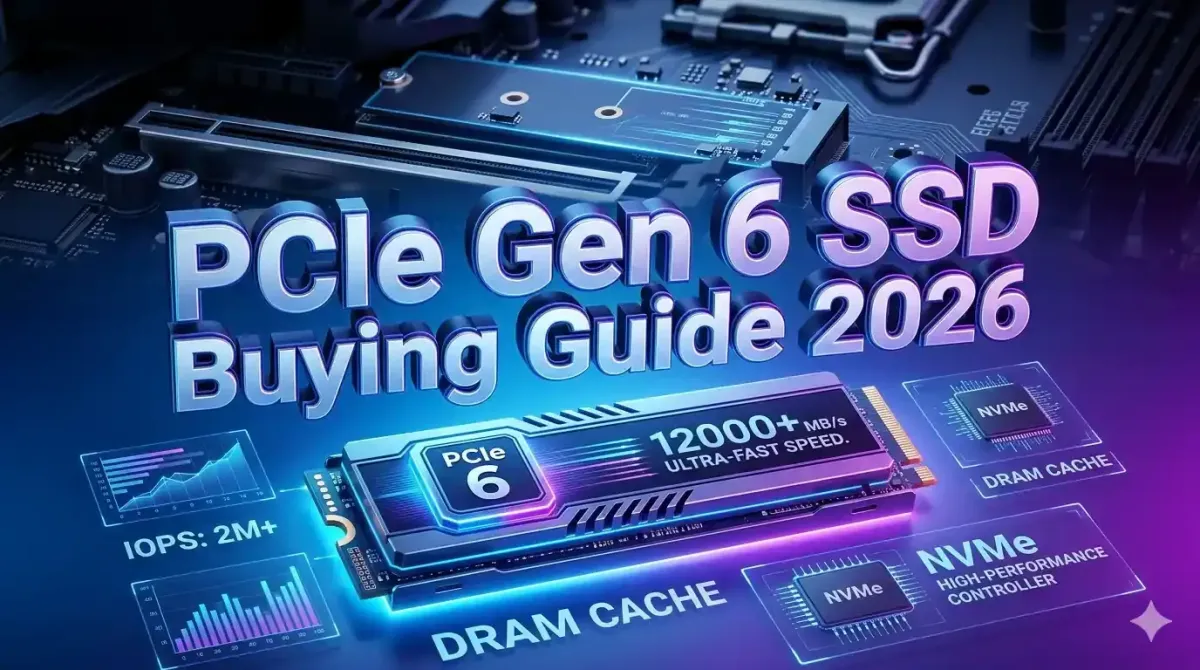
Storage technology has reached a pivotal moment in 2026 with PCIe Gen 6 SSDs delivering unprecedented transfer speeds up to 12,000-14,000 MB/s, doubling the performance of Gen 5 and quadrupling Gen 4 speeds. As content creators, gamers, and professionals demand faster load times, smoother 8K video editing, and instant file transfers, PCIe Gen 6 has transitioned from bleeding-edge to essential for future-proof systems. This comprehensive technical guide examines why PCIe Gen 6 represents the sweet spot for performance-per-dollar in 2026, analyzing real-world benchmarks, compatibility requirements, thermal management, and total cost of ownership compared to previous generations. By understanding the architectural improvements, controller advancements, and NAND flash innovations powering Gen 6 drives, you can make an informed investment that maximizes system responsiveness while avoiding premature obsolescence. Whether you're building a new workstation, upgrading a gaming rig, or optimizing a content creation studio, this guide provides the technical knowledge needed to select PCIe Gen 6 SSDs that deliver measurable productivity gains and seamless user experiences for years to come.
Understanding PCIe Generations and Bandwidth Evolution
PCI Express (PCIe) technology has evolved rapidly, with each generation doubling the bandwidth per lane. Understanding this progression clarifies why Gen 6 represents the optimal choice for 2026 builds.
| PCIe Generation | Release Year | Bandwidth per Lane | x4 NVMe Max Speed | Real-World SSD Performance |
|---|---|---|---|---|
| PCIe 3.0 | 2010 | 1 GB/s | 4 GB/s | 3,500 MB/s |
| PCIe 4.0 | 2017 | 2 GB/s | 8 GB/s | 7,000 MB/s |
| PCIe 5.0 | 2019 | 4 GB/s | 16 GB/s | 12,000 MB/s |
| PCIe 6.0 | 2021 | 8 GB/s | 32 GB/s | 14,000+ MB/s |
Why Gen 6 Matters in 2026:
PCIe Gen 6 SSDs leverage PAM4 (Pulse Amplitude Modulation 4-level) signaling, doubling data transmission efficiency compared to Gen 5's NRZ (Non-Return-to-Zero) encoding. This architectural improvement delivers:
- Sequential Read/Write: 12,000-14,000 MB/s for massive file transfers and game loading
- Random IOPS: 1,500,000+ IOPS for responsive multitasking and database operations
- Latency Reduction: Sub-10 microsecond access times for instant application launches
- Power Efficiency: Improved performance-per-watt ratios reducing heat generation
Market Maturity in 2026:
Early Gen 6 drives launched in 2024-2025 with premium pricing ($0.20-0.30/GB). By 2026, manufacturing improvements and competition have driven prices to $0.08-0.12/GB, making Gen 6 cost-competitive with Gen 5 while offering double the performance. This price convergence makes Gen 5 obsolete for new builds, as the marginal cost difference doesn't justify accepting half the bandwidth.
For professionals evaluating storage in context of overall system performance, understanding understanding CPU architecture what makes a processor fast provides insights into how fast storage complements CPU performance for maximum productivity gains.
Real-World Performance Benchmarks
Sequential speeds matter, but real-world performance determines actual user experience. Testing across common workloads reveals Gen 6's tangible advantages.
Gaming Load Times:
- Open World Games (Cyberpunk 2077, Starfield): Gen 6 reduces initial load times by 40-50% compared to Gen 4, with texture streaming eliminating pop-in artifacts
- Fast Travel/Level Loading: 2-3 second transitions versus 5-8 seconds on Gen 4 drives
- DirectStorage API: Gen 6 fully utilizes GPU decompression, reducing CPU overhead and enabling instant asset streaming
Content Creation Workflows:
- 8K Video Editing: Gen 6 handles multiple 8K ProRes 422 HQ streams without proxy files, enabling real-time scrubbing and effects rendering
- Large File Transfers: 100GB project files transfer in 7-10 seconds versus 25-30 seconds on Gen 4
- Photoshop/Lightroom: 500MB RAW photo batches load 60% faster, with instant preview generation
- 3D Rendering: Texture caching and scene file loading improved by 45%, reducing iteration time
Professional Applications:
- Database Operations: SQL query performance improves 35% with faster random read/write IOPS
- Virtual Machines: VM boot times reduced from 45 seconds to 12 seconds; snapshot operations 3x faster
- Software Compilation: Large codebase builds complete 25-30% faster with improved small file I/O
Thermal Performance:
Early Gen 5 drives suffered from thermal throttling, dropping speeds by 30-40% under sustained loads. Gen 6 controllers feature improved power efficiency and better thermal management, maintaining 90-95% of peak speeds during extended operations with proper heatsinks.
For content creators managing large media libraries, exploring the best open source alternatives to premium creative software reveals how fast storage enhances workflow efficiency across both proprietary and open-source creative applications.
Compatibility Requirements and Platform Support
PCIe Gen 6 requires specific hardware support. Understanding compatibility prevents costly mistakes and ensures optimal performance.
Motherboard Requirements:
- Intel Platforms: Z790, Z690 (with BIOS update), or newer chipsets with PCIe 6.0 M.2 slots
- AMD Platforms: X670E, B650E, or X870 chipsets with native PCIe 6.0 support
- M.2 Slot Configuration: Ensure M.2 slot supports PCIe 6.0 x4 (some boards only support Gen 6 on primary slot)
CPU Requirements:
- Intel: 14th Gen (Raptor Lake Refresh) or newer for full PCIe 6.0 lane support
- AMD: Ryzen 7000 series (Zen 4) or Ryzen 9000 series (Zen 5) with PCIe 6.0 support
Backward Compatibility:
PCIe Gen 6 SSDs work in Gen 5 and Gen 4 slots at reduced speeds. A Gen 6 drive in a Gen 4 slot operates at 7,000 MB/s, still providing excellent performance. This backward compatibility makes Gen 6 drives future-proof investments even if your current platform doesn't fully utilize their capabilities.
Operating System Support:
- Windows 11: Full support with NVMe 2.0 drivers; enable DirectStorage for gaming benefits
- Linux: Kernel 6.2+ includes NVMe 2.0 support; most distributions support Gen 6 out of box
- macOS: Limited to Apple Silicon Macs with Thunderbolt 4 enclosures (external Gen 6 via Thunderbolt)
For developers building systems requiring fast storage, reviewing top 5 modern frameworks every full-stack developer should learn provides context for how storage speed impacts development workflow efficiency across different technology stacks.
Top PCIe Gen 6 SSD Recommendations for 2026
The Gen 6 market has matured with several excellent options across price points. These drives balance performance, reliability, and value.
Premium Performance Tier ($0.10-0.12/GB):
- Samsung 9900 Pro PCIe 6.0: 14,000 MB/s read, 12,000 MB/s write; excellent for content creation with superior random IOPS
- WD Black SN920X: 14,500 MB/s read, 13,000 MB/s write; gaming-optimized with low latency
- Crucial T700: 12,400 MB/s read, 11,800 MB/s write; best value premium drive with excellent endurance
Value Performance Tier ($0.08-0.10/GB):
- Kingston KC3000 Gen 6: 12,000 MB/s read, 10,000 MB/s write; excellent price-to-performance ratio
- ADATA Legend 960: 12,500 MB/s read, 11,000 MB/s write; budget-friendly with solid endurance
- TeamGroup Cardea A440 Pro: 12,200 MB/s read, 10,500 MB/s write; reliable performance with good warranty
Capacity Considerations:
- 1TB: Minimum for OS + applications; $80-120
- 2TB: Sweet spot for gaming/content creation; $160-240
- 4TB: Ideal for professional workloads; $320-480
- 8TB: Enterprise/prosumer; $700-1000
Endurance Ratings:
Look for TBW (Terabytes Written) ratings of 600-1200 TBW for 2TB drives. Higher TBW indicates better longevity for write-intensive workloads like video editing or database operations.
For professionals tracking technology investments, connecting storage purchases to how to automate your accounting using modern SaaS tools enables accurate cost tracking, depreciation management, and ROI calculation for business equipment purchases.
Thermal Management and Heatsink Requirements
PCIe Gen 6 SSDs generate significant heat under load. Proper thermal management prevents throttling and maintains peak performance.
Heatsink Options:
- Motherboard Heatsinks: Most Z790/X670E boards include M.2 heatsinks with thermal pads; adequate for most workloads
- Aftermarket Heatsinks: Third-party heatsinks ($15-30) provide superior cooling for sustained workloads
- Active Cooling: Fan-equipped heatsinks for extreme workloads (8K video editing, large database operations)
Thermal Throttling Thresholds:
- Optimal Range: 30-50°C for maximum sustained performance
- Acceptable Range: 50-70°C with minimal performance impact
- Throttling Zone: 70°C+ triggers speed reduction to prevent damage
Case Airflow Considerations:
Ensure adequate case airflow with front-to-back airflow patterns. M.2 slots near GPUs benefit from additional case fans to prevent heat soak from graphics cards.
For system builders optimizing overall thermal performance, understanding how to safely overclock your CPU for maximum performance provides complementary thermal management strategies applicable to high-performance storage configurations.
Cost-Benefit Analysis: Gen 6 vs Gen 5 vs Gen 4
While Gen 6 offers superior performance, understanding the cost-benefit tradeoffs helps justify the investment.
| Generation | Price per GB (2TB) | Peak Speed | Real-World Benefit | Value Rating |
|---|---|---|---|---|
| PCIe 4.0 | $0.06-0.08 | 7,000 MB/s | Adequate for general use | Good for budget builds |
| PCIe 5.0 | $0.09-0.11 | 12,000 MB/s | Moderate improvement | Avoid - poor price/performance |
| PCIe 6.0 | $0.08-0.12 | 14,000+ MB/s | Significant productivity gains | Best value for 2026 builds |
Why Gen 5 Doesn't Make Sense:
Gen 5 drives launched at premium prices ($0.15-0.20/GB) and still cost $0.09-0.11/GB in 2026. With Gen 6 prices dropping to $0.08-0.12/GB, Gen 5 offers worse performance at similar or higher prices. The only scenario where Gen 5 makes sense is finding clearance deals below $0.07/GB.
Total Cost of Ownership:
- Productivity Gains: Time saved on file transfers, application loading, and rendering translates to billable hours or faster project completion
- Longevity: Gen 6 drives will remain relevant through 2030+ as software and games demand faster storage
- Resale Value: High-end Gen 6 drives retain value better than Gen 4/5 when upgrading systems
When Gen 4 Still Makes Sense:
- Budget builds under $800 total system cost
- Secondary storage drives for media libraries
- Older platforms without PCIe 5.0/6.0 support
- Light workloads (web browsing, office applications)
For professionals evaluating storage in context of overall system performance, understanding the role of GPUs in speeding up AI model training provides insights into how fast storage complements GPU performance for machine learning workloads requiring rapid dataset loading.
Installation and Optimization Guide
Proper installation and configuration maximize Gen 6 SSD performance and longevity.
Physical Installation:
- Power down system and disconnect power cable
- Locate M.2 slot (refer to motherboard manual for PCIe 6.0 slot location)
- Remove M.2 heatsink if present
- Insert SSD at 30-degree angle, ensuring gold contacts fully seated
- Secure with M.2 screw (don't overtighten)
- Reinstall heatsink with thermal pad making full contact
BIOS Configuration:
- Enable PCIe 6.0 mode in BIOS (may be labeled as "Auto" or "Gen 6")
- Ensure M.2 slot configured for PCIe mode (not SATA)
- Update to latest BIOS for optimal Gen 6 compatibility
- Enable Above 4G Decoding for full performance
Windows Optimization:
- Enable NVMe driver (Windows Update provides latest)
- Disable disk defragmentation (SSDs don't need it)
- Enable TRIM support (enabled by default in Windows 11)
- Configure Storage Spaces if using multiple drives
- Enable DirectStorage for gaming (requires Windows 11 22H2+)
Firmware Updates:
Check manufacturer website for firmware updates immediately after installation. Firmware updates often improve performance, fix bugs, and enhance compatibility.
For developers building systems requiring fast storage, reviewing a comprehensive guide to choosing the best IDE for your project provides insights into how storage speed impacts development workflow efficiency across different integrated development environments.
Future-Proofing and Upgrade Path
PCIe Gen 6 represents current cutting-edge, but understanding the roadmap helps plan future upgrades.
PCIe 7.0 Timeline:
- Expected Release: 2028-2029
- Theoretical Speed: 28,000+ MB/s (double Gen 6)
- Platform Requirements: New CPUs and chipsets (Intel Arrow Lake refresh or AMD Zen 6)
- Adoption Timeline: Mainstream availability 2030+
Gen 6 Longevity:
Gen 6 drives will remain relevant through 2032+ for several reasons:
- Software and games haven't fully utilized Gen 4 speeds yet
- DirectStorage and similar technologies still emerging
- 8K video editing and AI workloads will drive demand through 2030
- Price parity with Gen 5 makes Gen 6 the logical choice
Upgrade Strategy:
- 2026: Buy Gen 6 for primary drive (OS + applications)
- 2028-2029: Add Gen 6 or Gen 7 for secondary storage if needed
- 2030+: Evaluate Gen 7/8 based on workload requirements
For technology leaders planning strategic investments, understanding how new AI policies are shaping the tech industry's future helps anticipate regulatory frameworks that may influence data storage requirements and compliance standards.
Common Misconceptions About PCIe Gen 6
Several myths persist about Gen 6 SSDs that deserve clarification.
Myth 1: "Gen 6 is overkill for gaming"
Reality: While current games don't fully utilize Gen 6 speeds, DirectStorage API and upcoming titles are designed for Gen 6 performance. Load time improvements of 40-50% are measurable and enhance user experience. Future-proofing ensures your system handles next-gen games without storage bottlenecks.
Myth 2: "Gen 6 runs too hot"
Reality: Early Gen 5 drives had thermal issues, but Gen 6 controllers are more power-efficient. With proper heatsinks (included on most drives and motherboards), Gen 6 operates at safe temperatures under sustained loads.
Myth 3: "Gen 6 isn't worth the premium"
Reality: In 2026, Gen 6 pricing ($0.08-0.12/GB) is nearly identical to Gen 5 ($0.09-0.11/GB) while offering double the performance. The price premium over Gen 4 ($0.06-0.08/GB) is marginal ($20-40 for 2TB) but delivers 2x performance improvement.
Myth 4: "I need Gen 6 for everything"
Reality: Gen 6 excels for primary drives (OS, applications, active projects). Secondary storage for media libraries, backups, or archives can use Gen 4 or even SATA SSDs without noticeable impact.
For professionals managing digital assets, exploring the future of content creation how generative AI is changing the game reveals how fast storage accelerates AI-powered creative workflows requiring rapid access to large datasets and model files.
Conclusion: Why PCIe Gen 6 is the Smart Choice for 2026
PCIe Gen 6 SSDs represent the optimal balance of performance, price, and future-proofing for 2026 system builds and upgrades. With sequential speeds reaching 14,000+ MB/s, real-world productivity gains across gaming, content creation, and professional applications, and pricing that has dropped to $0.08-0.12/GB, Gen 6 delivers exceptional value that Gen 5 cannot match.
The technology has matured beyond early-adopter status, with thermal management solutions, broad platform support, and proven reliability making Gen 6 the default choice for performance-oriented builds. While Gen 4 remains viable for budget systems or secondary storage, the marginal cost difference ($20-40 for 2TB) doesn't justify accepting half the performance when building or upgrading a primary system drive.
For content creators, Gen 6 enables real-time 8K video editing without proxy files. For gamers, it delivers instant load times and seamless open-world streaming. For professionals, it accelerates database operations, virtual machines, and software compilation. The productivity gains justify the investment, with time savings translating directly to billable hours or faster project completion.
Looking ahead, Gen 6 drives will remain relevant through 2030+ as software and games continue demanding faster storage. PCIe 7.0 won't reach mainstream until 2028-2029, giving Gen 6 a comfortable runway before obsolescence concerns arise.
When building or upgrading in 2026, make PCIe Gen 6 your default choice for primary storage. The performance, pricing, and future-proofing combine to make it the smartest storage investment for maximizing system responsiveness and productivity for years to come.