Top 10 Open Source Alternatives to Adobe Creative Cloud
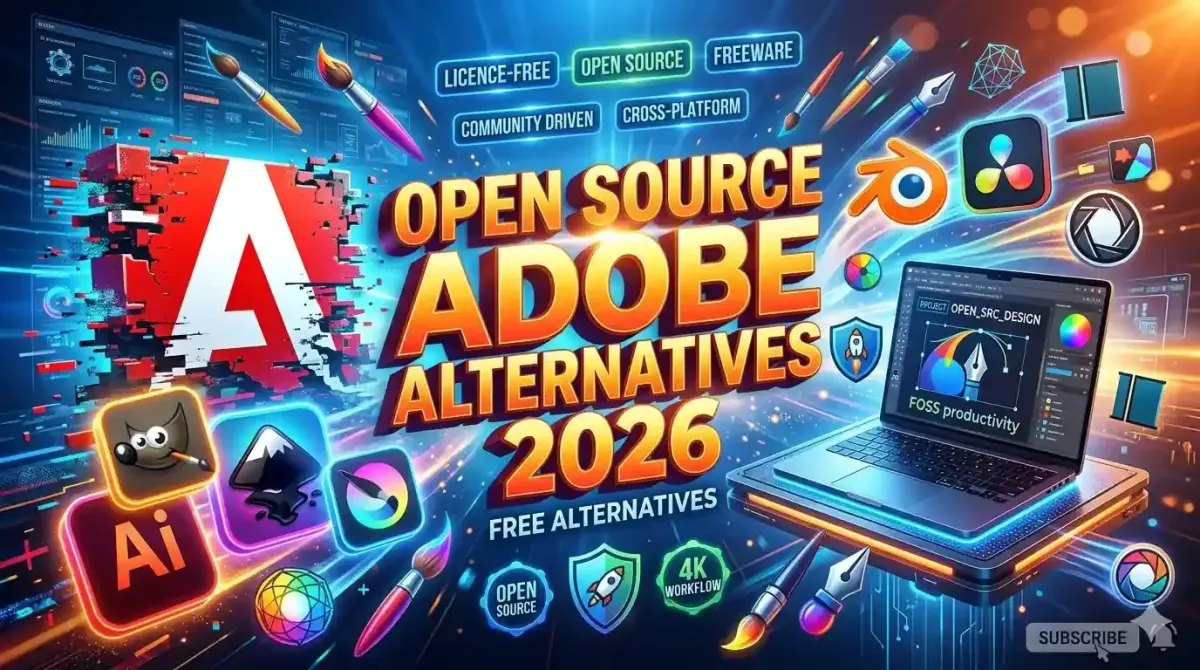
Adobe Creative Cloud dominates the professional creative software market but its subscription model and rising costs push many designers, photographers, and video editors to seek affordable alternatives. In 2026, open source creative tools have matured significantly, offering professional grade capabilities for photo editing, vector illustration, video production, and digital painting without recurring fees. This comprehensive guide evaluates the top 10 open source alternatives to Adobe Creative Cloud, comparing feature sets, workflow compatibility, learning curves, and community support. By understanding these options, creative professionals can reduce software expenses by 500 to 700 USD annually while maintaining production quality and creative flexibility. Each recommendation includes installation guidance, plugin ecosystems, and integration strategies for seamless transition from proprietary Adobe workflows.
Why Choose Open Source Creative Software in 2026
Open source creative tools provide compelling advantages beyond cost savings. Users gain full control over software behavior, access to source code for customization, freedom from vendor lock in, and participation in community driven development. Modern open source applications now support industry standard file formats, hardware acceleration, and plugin architectures that match proprietary alternatives.
For organizations prioritizing transparency and ethical software practices, understanding why open source AI models are becoming more popular than closed ones provides context for how open development models foster innovation and trust across technology sectors including creative tools.
1. GIMP: Professional Photo Editing Without Subscription Fees
GNU Image Manipulation Program (GIMP) serves as the most mature open source alternative to Adobe Photoshop, offering advanced photo retouching, compositing, and graphic design capabilities. Version 3.0 introduced improved performance, non destructive editing workflows, and enhanced color management matching professional photography standards.
Key Features:
- Advanced Layer Management: Support for layer groups, masks, blend modes, and adjustment layers matching Photoshop workflows
- Non Destructive Editing: Smart objects equivalent through layer groups and transform tools that preserve original image data
- Color Management: ICC profile support, soft proofing, and CMYK separation plugins for print production
- Scripting and Automation: Python and Scheme scripting for batch processing and custom tool development
Learning Resources: GIMP benefits from extensive documentation, video tutorials, and an active community forum. For designers transitioning from Adobe tools, reviewing the best open source alternatives to premium creative software provides additional migration strategies and workflow optimization tips.
Limitations: GIMP lacks native support for Adobe PSD files with complex layer effects, though third party plugins improve compatibility. The interface differs from Photoshop, requiring adaptation time for experienced users.
2. Inkscape: Vector Illustration and Graphic Design
Inkscape provides professional vector graphics capabilities comparable to Adobe Illustrator, supporting SVG as its native format while importing and exporting AI, EPS, and PDF files. Its node editing tools, path operations, and text on path features enable logo design, icon creation, and technical illustration.
Key Features:
- SVG Native Support: Full compliance with W3C SVG standards ensuring web compatibility and scalability
- Advanced Path Tools: Boolean operations, path simplification, and node editing for precise vector manipulation
- Text and Typography: Support for OpenType features, text on path, and flow frames for layout design
- Extension Ecosystem: Python based extensions for generating patterns, barcodes, and custom effects
For designers building brand assets, integrating Inkscape workflows with using AI to generate consistent brand assets and logos enables hybrid approaches that combine open source precision with AI powered ideation.
3. Krita: Digital Painting and Concept Art
Krita specializes in digital painting, concept art, and illustration with brush engines, layer management, and animation tools designed for artists rather than photographers. Its resource manager provides thousands of free brushes, textures, and templates contributed by the community.
Key Features:
- Advanced Brush Engines: Over 100 brush presets with customizable dynamics for pressure, tilt, and rotation
- Animation Support: Frame by frame animation with onion skinning and timeline controls
- Color Management: HDR painting, LUT support, and color selector wheels for professional color workflows
- Assistants and Guides: Perspective grids, rulers, and symmetry tools for technical illustration
Artists exploring generative techniques can combine Krita with top 10 generative AI tools for creative professionals in 2026 to enhance concept development while maintaining manual artistic control.
4. DaVinci Resolve: Professional Video Editing and Color Grading
DaVinci Resolve offers a free tier with professional video editing, color correction, visual effects, and audio post production capabilities. While not fully open source, its free version provides more features than many paid alternatives, making it a pragmatic choice for budget conscious creators.
Key Features:
- Professional Color Grading: Node based color workflow, HDR support, and advanced scopes matching Hollywood standards
- Fusion Visual Effects: Integrated compositing and motion graphics tools without third party plugins
- Fairlight Audio: Professional audio editing with VST support and mixing console interface
- Collaboration Tools: Multi user projects with cloud sync for team based production workflows
For content creators optimizing visual output, understanding how to create high quality marketing visuals using AI image tools complements DaVinci Resolve workflows with AI powered enhancement techniques.
5. Scribus: Desktop Publishing and Layout Design
Scribus provides professional page layout capabilities for brochures, magazines, and books, supporting CMYK color, spot colors, and PDF/X export for commercial printing. Its precision typography controls and master page system match Adobe InDesign functionality.
Key Features:
- Professional Typography: OpenType support, kerning controls, and text flow around images
- Print Production: CMYK separation, bleed settings, and PDF/X compliance for commercial printing
- Master Pages and Styles: Template system for consistent multi page document design
- Scripting: Python scripting for automating repetitive layout tasks
6. Blender: 3D Modeling Animation and Rendering
Blender delivers comprehensive 3D creation capabilities including modeling, sculpting, animation, simulation, rendering, and video editing. Its Cycles and Eevee render engines provide photorealistic and real time rendering options competing with proprietary solutions.
Key Features:
- Complete 3D Pipeline: Modeling, rigging, animation, simulation, rendering, compositing, and video editing in one application
- Advanced Rendering: Path tracing with Cycles and real time viewport rendering with Eevee
- Python API: Extensive scripting support for automation, custom tools, and pipeline integration
- Active Community: Thousands of free tutorials, assets, and plugins contributed by global users
For artists exploring AI assisted 3D workflows, reviewing transforming sketches into masterpieces the power of AI art tools reveals techniques for combining traditional 3D skills with generative AI capabilities.
7. Shotcut: Accessible Video Editing for Beginners
Shotcut provides a user friendly video editor supporting wide format compatibility, hardware acceleration, and intuitive timeline editing. Its lower learning curve makes it ideal for creators transitioning from consumer tools to professional workflows.
Key Features:
- Wide Format Support: Native editing for hundreds of video and audio formats without conversion
- Hardware Acceleration: GPU accelerated encoding and decoding for faster rendering
- Audio Filters: Built in equalization, compression, and noise reduction tools
- Cross Platform: Consistent experience across Windows, macOS, and Linux
8. Audacity: Audio Recording and Editing
Audacity serves as the standard open source audio editor for podcasting, music production, and sound design. Its multi track editing, effect chain, and plugin support handle most audio post production requirements.
Key Features:
- Multi Track Editing: Unlimited tracks with non destructive editing and unlimited undo
- Effect Library: Built in noise reduction, compression, equalization, and reverb
- VST Plugin Support: Compatibility with third party audio effects and instruments
- Batch Processing: Macro system for applying effects to multiple files automatically
For podcasters and content creators, integrating Audacity with how NLP is revolutionizing content summarization for busy professionals enables automated transcript generation and show note creation.
9. RawTherapee: RAW Photo Processing and Development
RawTherapee specializes in RAW file processing with advanced demosaicing, color science, and detail enhancement algorithms. Its non destructive workflow and batch processing capabilities match Adobe Lightroom functionality for photography workflows.
Key Features:
- Advanced Demosaicing: Multiple algorithms for optimal detail extraction from RAW sensor data
- Color Management: ICC profile support, soft proofing, and display calibration tools
- Detail Enhancement: Wavelet based sharpening, noise reduction, and local contrast adjustment
- Batch Processing: Queue system for applying edits to multiple images efficiently
Photographers optimizing image quality can combine RawTherapee with top 5 AI tools for professional photo retouching and upscaling to enhance final output with AI powered detail recovery.
10. Darktable: Professional RAW Workflow Management
Darktable provides comprehensive RAW processing with tethered capture support, virtual light table organization, and modular editing workflow. Its film simulation presets and color grading tools appeal to photographers seeking creative control.
Key Features:
- Non Destructive Workflow: Edit history stack allowing unlimited adjustments without altering original files
- Tethered Capture: Direct camera control for studio photography workflows
- Masking and Local Adjustments: Parametric and drawn masks for selective editing
- Export Presets: Customizable output profiles for web, print, and social media
| Tool | Adobe Equivalent | Best For | Learning Curve |
|---|---|---|---|
| GIMP | Photoshop | Photo editing and compositing | Moderate |
| Inkscape | Illustrator | Vector graphics and logo design | Moderate |
| Krita | Photoshop for painting | Digital art and concept design | Easy to Moderate |
| DaVinci Resolve | Premiere Pro and After Effects | Professional video production | Steep |
| Scribus | InDesign | Print layout and publishing | Moderate |
| Blender | Maya and Cinema 4D | 3D modeling and animation | Steep |
| Shotcut | Premiere Rush | Beginner video editing | Easy |
| Audacity | Audition | Audio recording and editing | Easy |
| RawTherapee | Lightroom Classic | RAW photo processing | Moderate |
| Darktable | Lightroom CC | Photography workflow management | Moderate |
Transition Strategies for Adobe Users
Migrating from Adobe Creative Cloud to open source alternatives requires thoughtful planning to minimize workflow disruption. Follow these implementation steps for successful transition:
Phase 1: Assessment and Planning
- Inventory current Adobe tools and identify which open source alternatives match your primary workflows
- Test alternatives with sample projects before committing to full migration
- Document custom brushes, presets, and plugins that require recreation or replacement
Phase 2: Skill Development
- Allocate 2 to 4 weeks for learning new interfaces and workflows through tutorials and practice projects
- Join community forums for each tool to access troubleshooting support and workflow tips
- Contribute feedback to open source projects to influence development priorities
Phase 3: Workflow Integration
- Establish file naming conventions and folder structures compatible with open source tools
- Configure export presets matching your delivery requirements for client work
- Implement backup and version control practices appropriate for collaborative projects
For developers building custom integrations, understanding how to contribute to open source projects a guide for new developers provides pathways for enhancing tool capabilities through code contributions or documentation improvements.
Cost Savings and Total Ownership Analysis
Switching to open source creative tools delivers significant financial benefits beyond eliminating subscription fees.
Direct Cost Comparison:
- Adobe Creative Cloud All Apps: 60 USD monthly or 720 USD annually per user
- Open source alternatives: 0 USD licensing cost with optional donation support
- Annual savings: 720 USD per user, scaling to 7200 USD for 10 person teams
Indirect Cost Considerations:
- Training time investment: 20 to 40 hours per user for workflow adaptation
- Plugin and asset migration: Potential costs for recreating custom resources
- Support infrastructure: Community forums versus paid Adobe support channels
Long Term Value:
- No vendor lock in enables flexibility to switch tools as needs evolve
- Source code access allows customization for specialized workflows
- Community development ensures ongoing improvement without subscription pressure
Community Support and Learning Resources
Open source creative tools benefit from active global communities providing documentation, tutorials, and peer support.
Primary Support Channels:
- Official documentation and user manuals maintained by project teams
- Community forums and Discord servers for real time troubleshooting
- YouTube tutorials and paid courses from experienced practitioners
- GitHub repositories for bug reporting and feature requests
Learning Pathways:
- Start with official getting started guides to understand core interface and workflows
- Practice with sample projects before applying tools to client work
- Participate in community challenges to build skills and receive feedback
- Contribute improvements to documentation or translations to give back to the ecosystem
For teams managing distributed creative workflows, integrating open source tools with top 5 SaaS platforms for managing global remote teams ensures collaboration and asset sharing across time zones without compromising tool flexibility.
Future Development and Roadmap Considerations
Open source creative tools continue evolving with regular releases adding features, performance improvements, and compatibility updates.
Emerging Capabilities:
- AI assisted editing tools integrated into open source workflows for content aware operations
- Cloud sync and collaboration features enabling team based creative production
- Improved Adobe file format compatibility reducing migration friction
- Hardware acceleration optimizations leveraging modern GPU architectures
Strategic Recommendations:
- Monitor project roadmaps to anticipate feature additions that may influence tool selection
- Participate in community discussions to voice priorities for development focus
- Maintain hybrid workflows during transition periods to ensure business continuity
- Document custom configurations and scripts to preserve workflow investments across updates
For organizations evaluating broader technology strategies, understanding the future of SaaS top trends to watch this year provides context for how open source tools fit within evolving software delivery models.
Conclusion: Empowering Creativity Without Subscription Constraints
The top 10 open source alternatives to Adobe Creative Cloud demonstrate that professional creative work no longer requires expensive proprietary software. GIMP, Inkscape, Krita, DaVinci Resolve, Scribus, Blender, Shotcut, Audacity, RawTherapee, and Darktable collectively cover the full spectrum of creative production from photo editing to 3D animation.
Successful adoption requires realistic assessment of workflow requirements, investment in skill development, and engagement with supportive communities. The financial savings from eliminating subscription fees can be reinvested in hardware upgrades, training, or business growth initiatives.
Open source creative tools represent more than cost savings; they embody principles of user freedom, transparency, and community collaboration. By choosing these alternatives, creative professionals gain control over their tools while contributing to a more accessible and innovative creative technology ecosystem.
Begin your transition by selecting one tool that addresses your most frequent creative task. Master its workflows through practice and community engagement. Expand to additional tools as confidence grows. The compound effect of open source adoption will transform not just your software expenses but your relationship with the tools that enable your creative expression.